Setting frequency shift direction and offset frequency only in Frequency mode, as for
receiving and transmitting in different frequencies.
Operating steps:
1. Set the working frequency
2. Set the frequency shift direction and offset frequency.
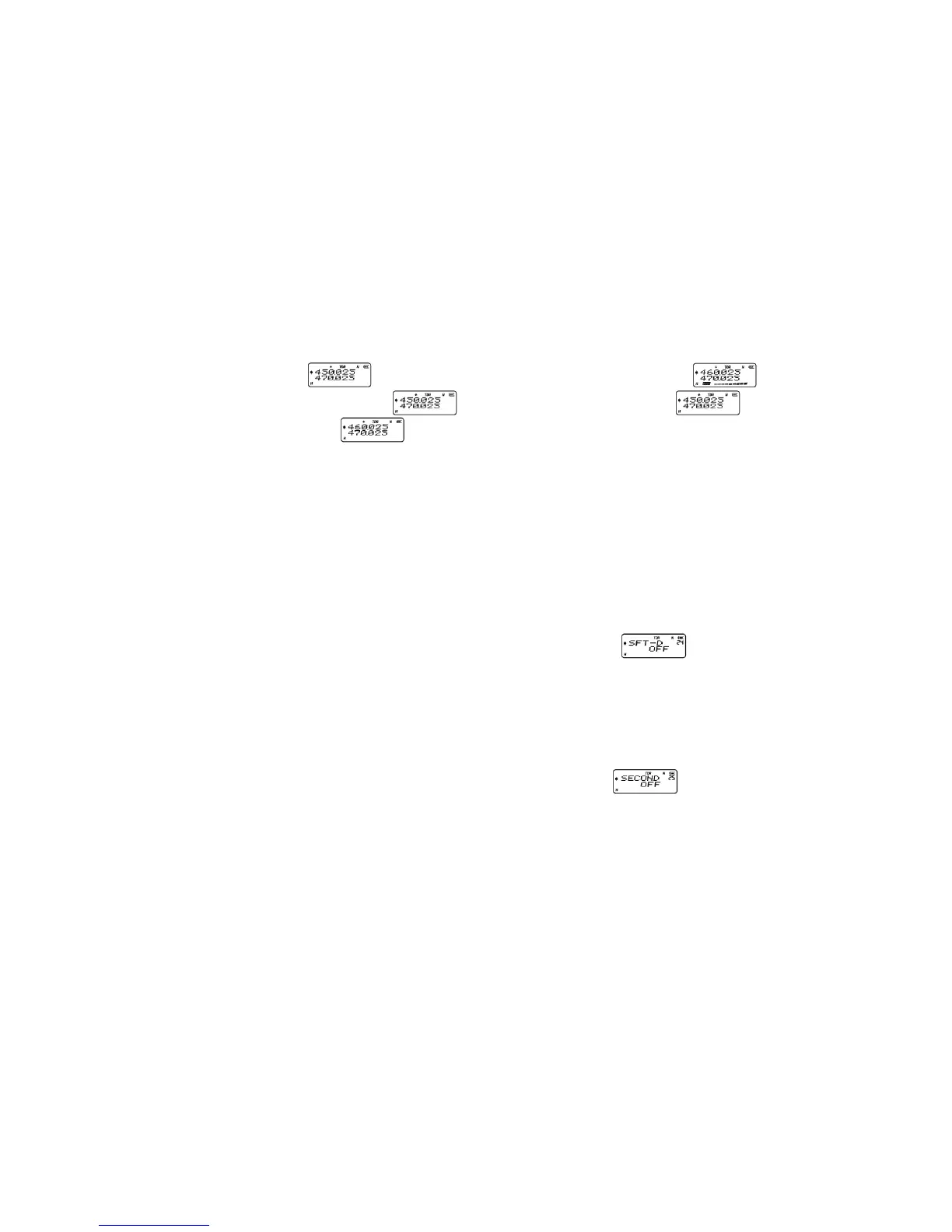
Example: In frequency mode, the transceiver needs to work on receiving frequency
450.025MHz and transmitting frequency 460.026MHz
• In Frequency mode, input 450025
• then press MENU + 24+ MENU to select positive direction (+),
•
press MENU+ EXIT ,
•
then press MENU + 23 + MENU+ UP / DOWN to choose 10.000+ MENU+ EXIT ,
the frequency shift direction and offset frequency set.
The screen displays
, press PTT to transmit and the screen displays .
Release PTT the screen displays
, it means receiving frequency is , and
transmitting frequency is
.
Setting Frequency shift direction (SFT-D) ---- MENU 24
Shift direction means that:
•
The transmit frequency is higher than receive frequency. This is called positive offset
(+).
• The transmit frequency is lower than receive frequency. This is called negative offset
(-).
• Turn off frequency shift
Procedure:
• In standby mode, press MENU + 2 4 , the screen displays
•
Press MENU to enter, then press UP / DOWN to select +/-/OFF,
• then press MENU to confirm,
• press EXIT return to standby.
Setting Stopwatch Timer (SECOND) --- MENU 25
• In standby mode, press MENU + 25 , the screen displays
•
Press MENU to enter, it shows "OFF",
• then press UP / DOWN to turn ON/OFF this function,
•
press MENU to confirm,
• press EXIT return to standby.
Using the stopwatch timer:
• When this function is ON, press # key to start counting, while press any key to stop.
• Press # key again to start counting.
NOTE:
Stop counting, press any key (except # key) to exit stopwatch timer function.
Channel name Edit (CHNAME) --- MENU 26
Conditions for Channel name:
1. Channel name should be within 26 letters (A to Z) and 10 numbers (0 to 9).
2. Channel name should be less than six length.


 To Next Page