There are 4 options on setting sidetone:
• Key Tone: In transmitting, press number key to open the sidetone.
•
ANI ID Code Transmit Sidetone: Opening sidetone when the transceiver transmits
ANI ID code.
• Key tone + ANI ID Code Transmit Sidetone: In transmitting, opening side tone by
number key or during transmitting ANI ID code.
•
Turn off Sidetone: In encoding, all sidetone turns off.
Setting Priority Scan Function
If you want to monitor the other frequency and check the certain preferred frequency at the
same time, you can set Priority scan function.
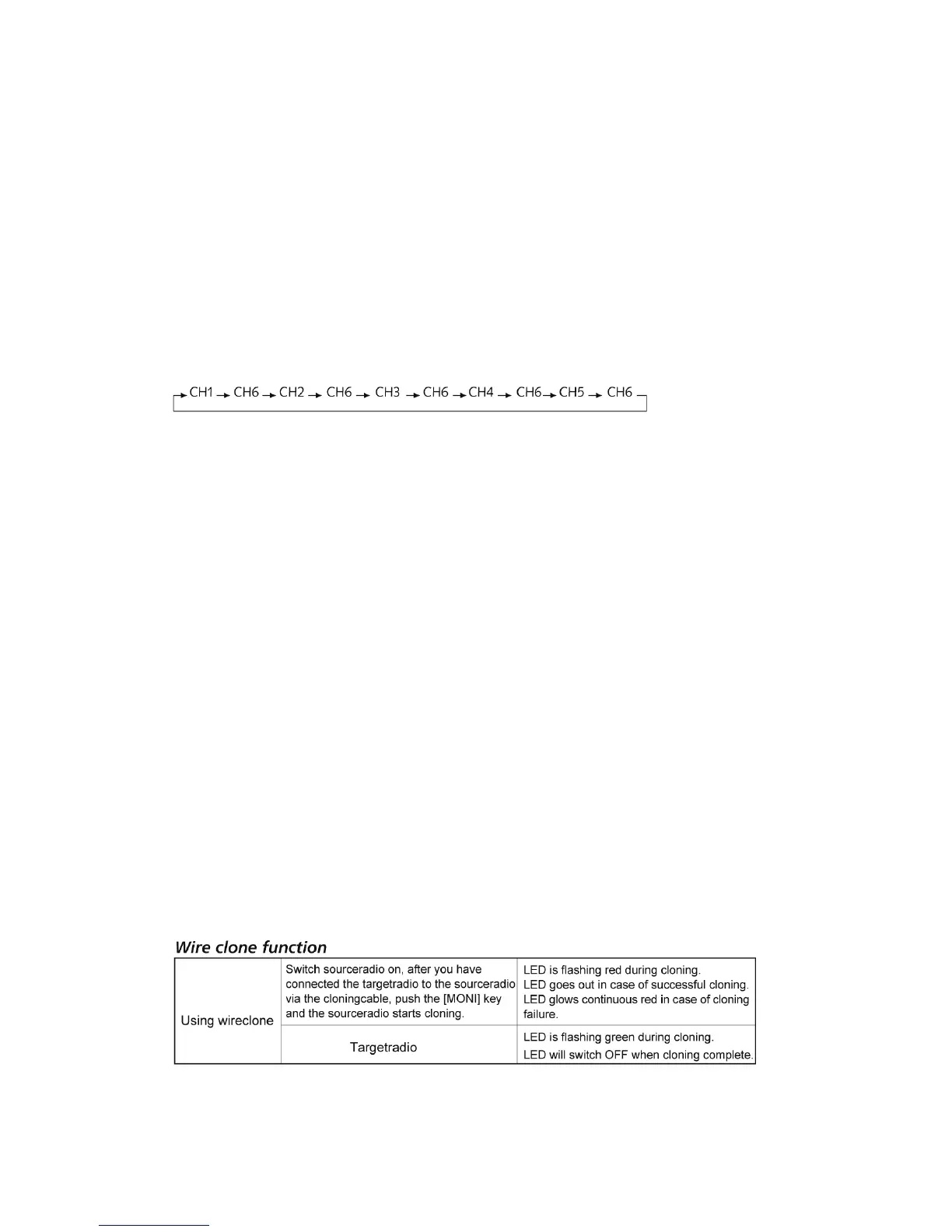
Example: Scan six channels: CH1, CH2, CH3, CH4 and CH5 as the common scanned
channel, and CH6 set as the priority scanned channel. Scanning sequence as following chart:
If the transceiver checks the signal on "Priority Channel", it will switch this signal to the
speaker
Select the priority channels via programming software.
Setting Reverse Frequency function
When using reverse frequency function, the transmitting and receiving frequency of
transceiver will interchange, and the CTCSS and DCS encode and decode will interchange
either.
Operating reverse frequency function:
•
In standby mode, press * key to turn on the reverse frequency function; press * key
again to turn off.
• In Frequency Mode: If the menu setting turns on
• If your transceiver permits reset
The editing method of the above two functions: via software
Low-voltage battery Voice Prompt
When the battery pack has low voltage, the transceiver will sound “low battery pack”, and the
LED will flash every 5 seconds and a “click” sounds.
Transmit Overtime Prompt
When transceiver transmits beyond the limited time, there will be a sound warning for transmit
overtime and the radio will stop transmitting. Release and press PTT to transmit again.
Adding scanning channel
Channel scan only according to scan list which had been added.
Edit method: Strictly via programming software.


 To Next Page