16
English
4.3. Changing Channels
Press the Channel Switch button to switch between the 3
available channels. Make sure that both units are set to the
same channel otherwise you will not be able to communicate
with your partner.
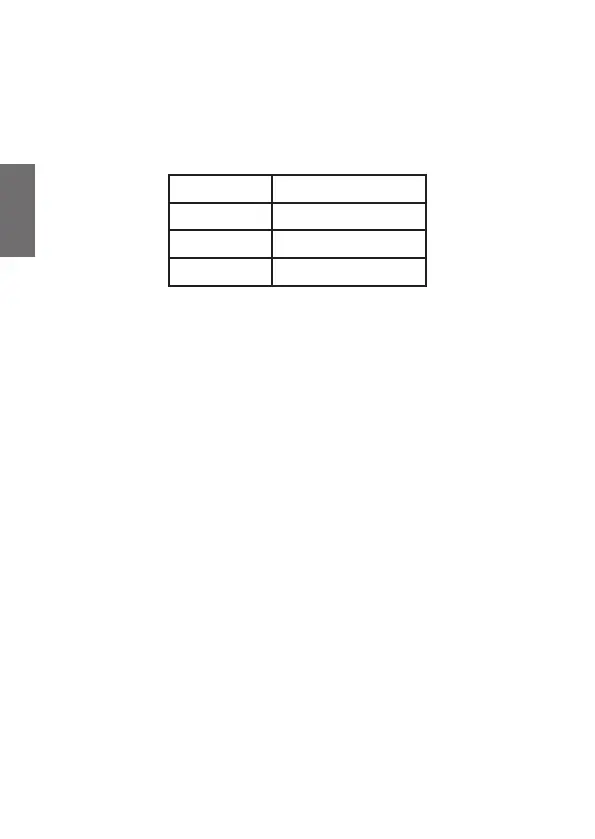
Channel LED Indicator
1 Left
2 Right
3 Left and right
Note: if no button is pressed within 6 seconds during setting,
the device will return to stand-by mode.
4.4. Sending a call tone
Use the CALL Tone function to send a short melody to all other
receivers to signalize an upcoming transmission.
To send a call tone, short press the PTT button.
5. Safety instructions
• Age recommendation: children 6 years and older
• Attention: Not suitable for children under three years
• Contains small parts that can be swallowed (danger of
suffocation)
• Use only under the supervision of adults
• Clean the devices only with a dry cloth.
• Do not expose this radio to rain or moisture.
• Do not expose the radio to excessive heat.
• Do not try to use two devices which are less than 1.5m
apart. Otherwise you may experience interference.





 To Next Page