EasyManua.ls Logo

Albrecht Tectalk Duo - User Manual

Albrecht Tectalk Duo
32 pages
Go to English
Print Icon
To Next Page IconTo Next Page
Loading...
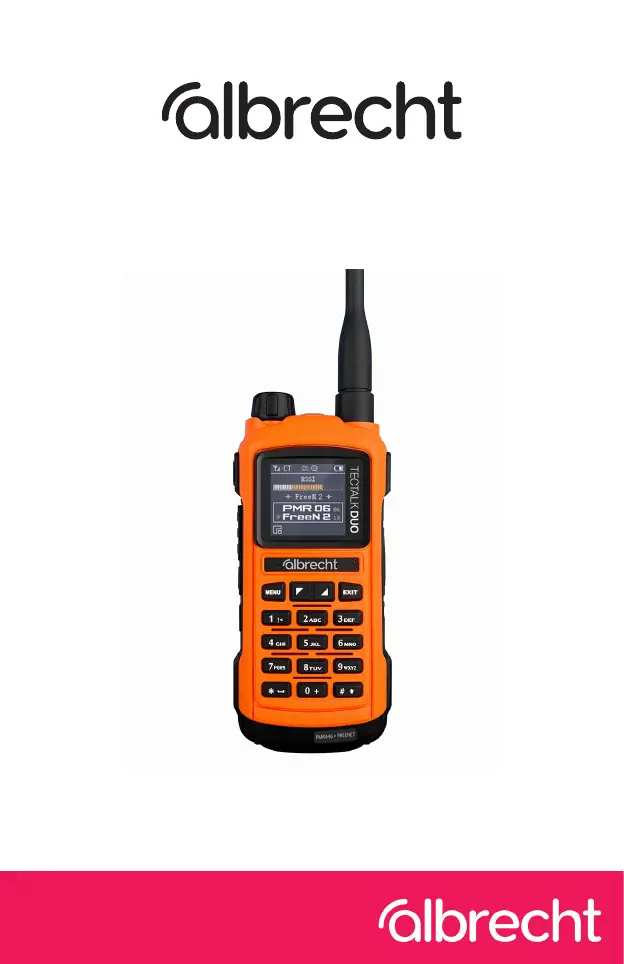
Tectalk Duo
Anleitung / Manual
Deutsch / English
PMR446 und Freenet Funkgerät

Questions and Answers

  • J
    John WilsonAug 7, 2025
    What to do if my Albrecht Tectalk Duo cannot be switched on?
    • G
      ghammondAug 7, 2025
      If your Albrecht Radio won't switch on or turns off automatically, try the following: * Charge the battery or insert a replacement battery. * Ensure the battery is inserted correctly. * Clean the contacts before charging.
  • T
    Tasha WilliamsAug 13, 2025
    How to fix Albrecht Tectalk Duo when I can hear others, but they can't hear me?
    • E
      erossAug 13, 2025
      If you can hear other users on your Albrecht Radio, but they cannot hear you, check that you are using the same channel as the person you are talking to. If they are using a CTCSS or DCS code, you must also use the same code in order to be heard.
  • F
    ffosterAug 19, 2025
    Why can't I communicate with other users on my Albrecht Tectalk Duo Radio?
    • B
      Brooke ChristensenAug 19, 2025
      If you cannot communicate with other users on your Albrecht Radio, make sure that you are on the same channel and subchannel (CTCSS/DCS). Also, consider that you may be outside the transmission range of the other radios.
  • L
    Linda WardAug 26, 2025
    What to do if other participants only hear me intermittently on Albrecht Radio?
    • R
      robertsmithAug 26, 2025
      If other participants can only hear you intermittently on your Albrecht Radio, it could be due to a weak signal because you are too far apart. The signal is too weak - you are too far apart.
  • A
    Ann MontoyaAug 31, 2025
    How to stop hearing radio messages from other groups on my Albrecht Tectalk Duo Radio?
    • R
      Rhonda Garcia MDAug 31, 2025
      If you are hearing radio messages from other groups on your Albrecht Radio, simply change the channel.

Summary

Scope of Delivery

First Steps

Overview of the Radio

Buttons and Functions

Details the various buttons and their functions on the radio.

Keypad

Explains the functions of each button on the keypad.

Function Keys

Details the functions assigned to specific keys like PTT and programmable buttons.

Display Symbols

Explains the meaning of various symbols shown on the radio display.

Headset Connector

Describes the headset/microphone connector and its specifications.

Installing and Changing the Battery

Charging the Radio

Sending and Receiving

Channel Selection

Explains how to select PMR446 and Freenet channels and switch between primary/secondary.

Main Menu

Radio Settings

Covers settings for squelch, busy channel lockout, time out timer, mic gain, and Roger beep.

VOX Function

Explains the VOX (voice operated exchange) function, sensitivity, and delay settings.

Settings

Details general device settings including battery saving, dual-channel monitoring, SOS, scan, backlight, key tone, and voice prompt.

CTCSS; DCS

Explains CTCSS and DCS for selective addressing and how to configure them.

Channel Settings

Allows naming channels and configuring other channel-specific settings.

Reset to Factory Settings

Procedure to reset all device settings back to their original factory defaults.

Additional Functions

SOS Alarm

Activates an alarm mode, which can be played locally or transmitted on the channel.

Technical Specifications

Frequencies

Safety Instructions

Troubleshooting

Warranty Information

Electronic Waste Law and Recycling

Declaration of Conformity

Service Address And Technical Hotline

Albrecht Tectalk Duo Specifications

General IconGeneral
BrandAlbrecht
ModelTectalk Duo
CategoryRadio
LanguageEnglish

Related product manuals