43 44
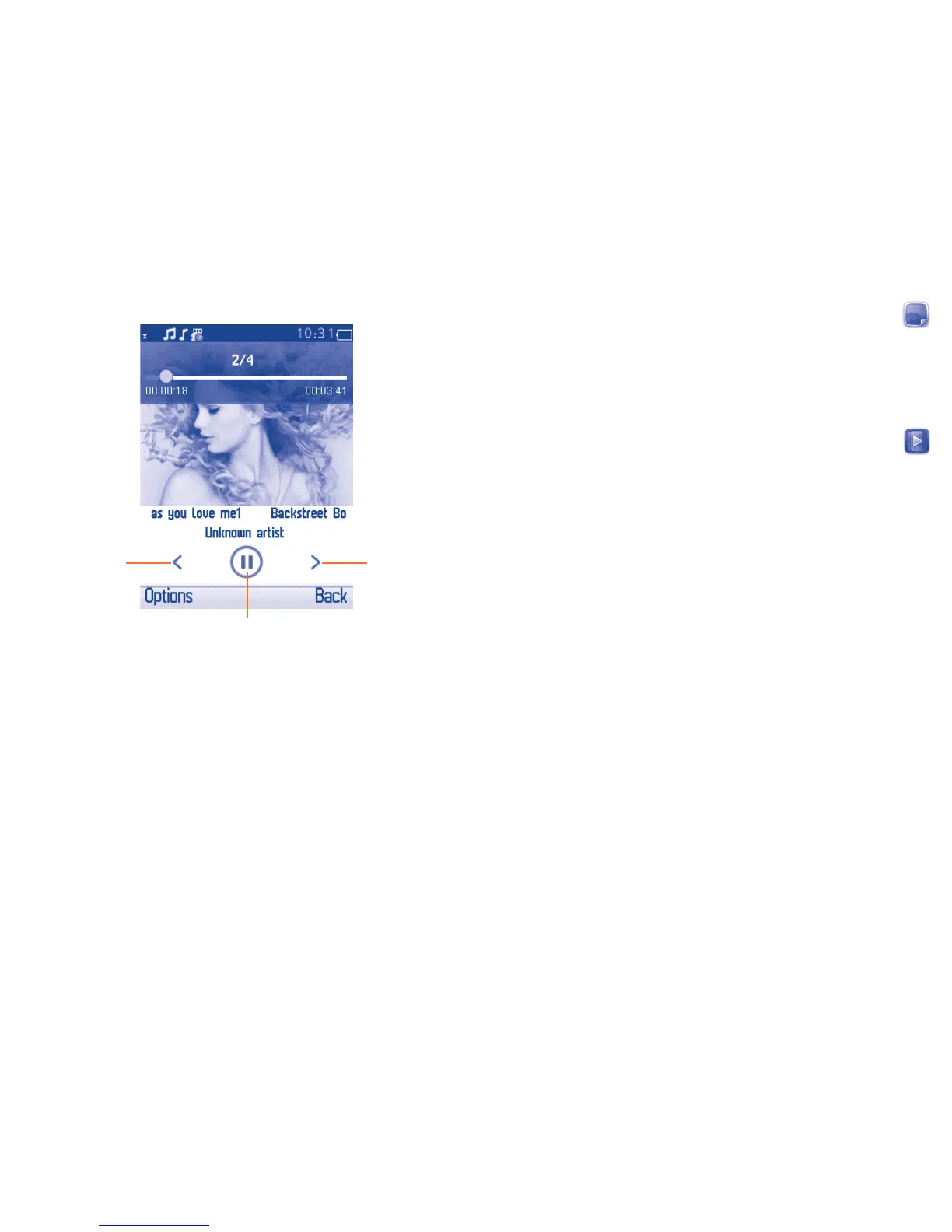
Music playing mode11.1.2
Play/pause
Previous song Next song
To adjust the volume, press upwards or downwards of the navigation
key.
Settings11.1.3
Access by pressing the Left softkey for following options:
Music playing Enable you to switch among Shuffle, Repeat,
Background play On/Off.
Audio playing Audio display style can be set as you want.
Images11.2 ............................................................
A library links to the images (stored in "My images") in phone or SD
card to multi-mark, set as wallpaper, power on/off display and incoming
call image or sent by MMS, Bluetooth.
Press an image once to view it in full screen.
Videos11.3 ............................................................
Contains all video clips (stored in "My videos") in phone or SD card and
enables you to play, send, set as power on/off display, delete, rename,
sort, etc.













 To Next Page