11 12
From Idle screen
- Press: input *
- Long key press : Switch between ‘+/P/W’
In Edit mode:
- Short press: input method≠ number:
Access to symbol table
Hash key #Idle screen
- Short key press: Input "#"
- Long key press: Switch between‘Slient/Vibration/ General
In edit mode
Short press: Change the input method
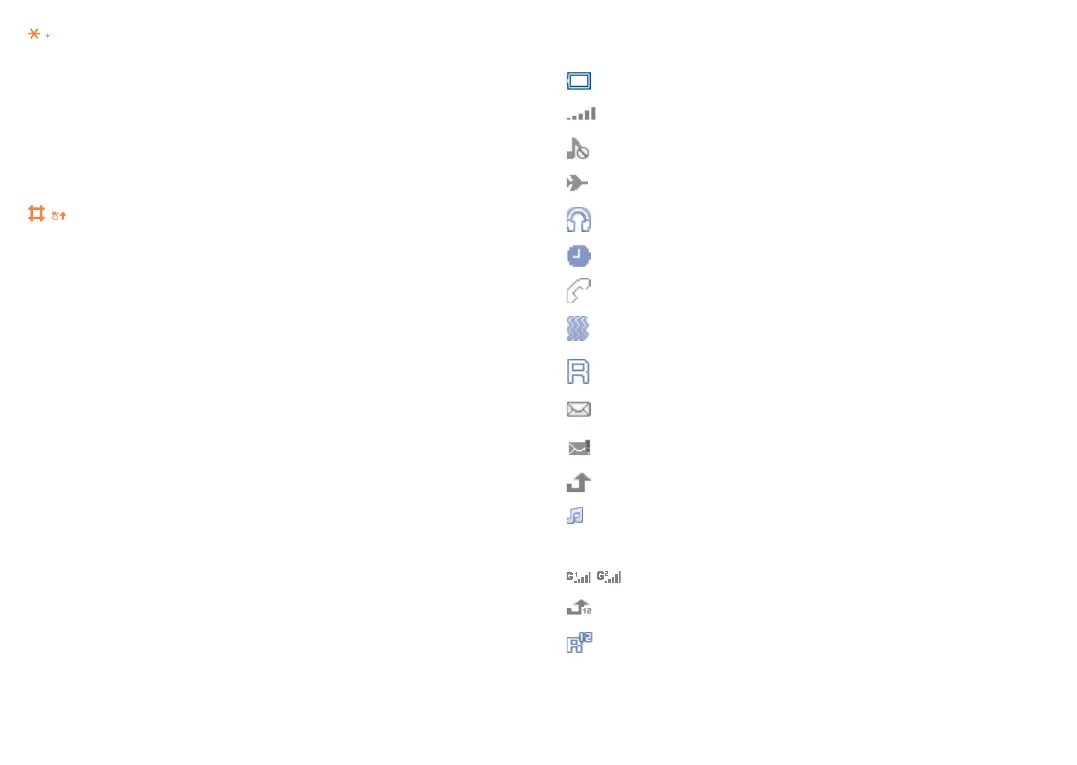
1.2 Status bar icons
(1)
In 2053X:
Battery charge level
Level of network reception
Silence mode: your phone neither rings, beeps nor vibrates
Aeroplane mode
Headset connected
Alarm clock programmed
Missed calls
Meeting mode: your phone vibrates, but neither rings nor
beeps
Roaming
Unread SMS
Message full
Call divert
Music activated
In 2053D:
GPRS connection status
Call divert
Roaming
(1)
The icons and illustrations in this guide are provided for information
purposes only.



 To Next Page