46
Storing a received vCard
Storing a received vCalendar
Sending a vCard or a vCalendar via
SMS
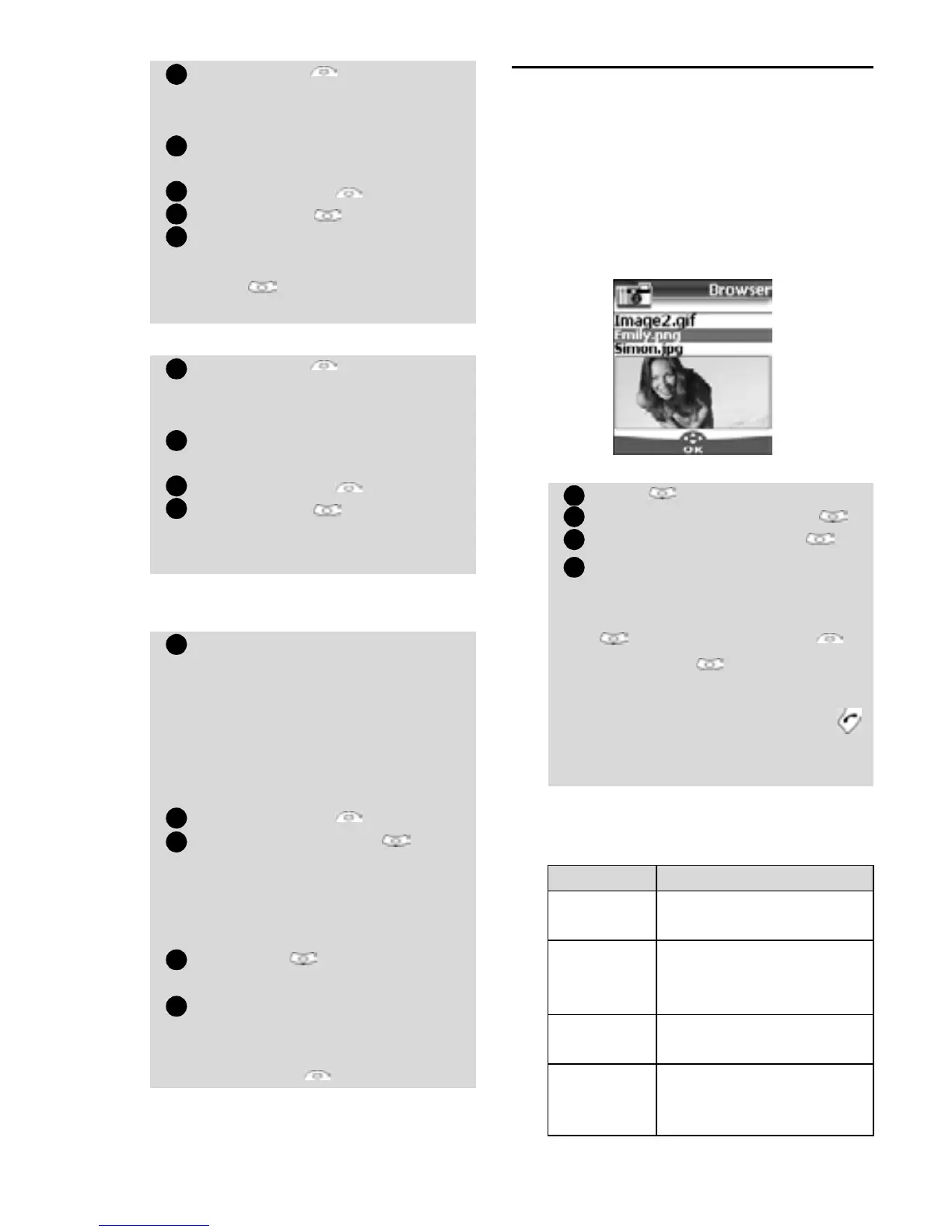
Pictures Browser
The pictures browser sub-menu allows to
view and set downloaded images as wallpa-
pers or logos via the Pictures Viewer (see Cus-
tomising your mobile, page 60 ).
Pictures viewer
The pictures viewer allows to view the list of
stored images. The screen is divided into two
parts: the image names list and the selected
image.
Viewing an image
Options
The Pictures viewer Options list bears
the following items:
Select Read on the idle
screen when you have received
the file.
Select the received document
(
.vcf).
Select Options .
Select Store .
Select Phone names, Sim
names
, Sim fixed or My
card
. Copied is displayed,
the vCard is then stored.
Select Read on the idle
screen when you have received
the file.
Select the received document
(
.vcs).
Select Options .
Select Store . Stored is dis-
played, the vCalendar is then
stored.
Select the vCard or the vCalen-
dar you wish to transfer as
explained in Viewing and call-
ing phonebook numbers,
page 16, Calendar, page 43
and Tasks list, page 45 or
select it from the
Inbox.
Select Options .
Select Send by SMS . A
warning may then be dis-
played, advising on the number
of SMS needed to send the card
(if more than 1 SMS needed).
Select OK if you wish to
continue.
Enter the number you want to
send the vCard or the vCalen-
dar to, or pick up a name from
the Names .
1
2
3
4
5
1
2
3
4
1
2
3
4
5
Press . Select Office Tools.
Select Pictures browser .
Select Pictures viewer .
Scroll down the list of image
names. The matching image is
displayed underneath. Pressing
or selecting
Options ,
then
View puts the image
on full size. Press any key
except the cursor key or the
key to come back to the Pic-
tures
Viewer screen.
Option Description
View
To view the picture in
full size.
Set as
wallpaper
To set the image as a
wallpaper on the idle
screen.
Set as
logos
To set the image as a
logo on the idle screen.
Delete
To delete the current
image (if it was not pre-
set on your mobile).
1
2
3
4









 To Next Page