59 60
My files
23
...........................
You will have access to all audio and visual files stored in phone or SD
card in My files.
Phone23.1
An access point for all files in all folders stored in phone.
SD Card23.2
You can access all files stored in the memory card here.
When a microSD card is inserted for the first time, it will be
scanned and default folders will be created.
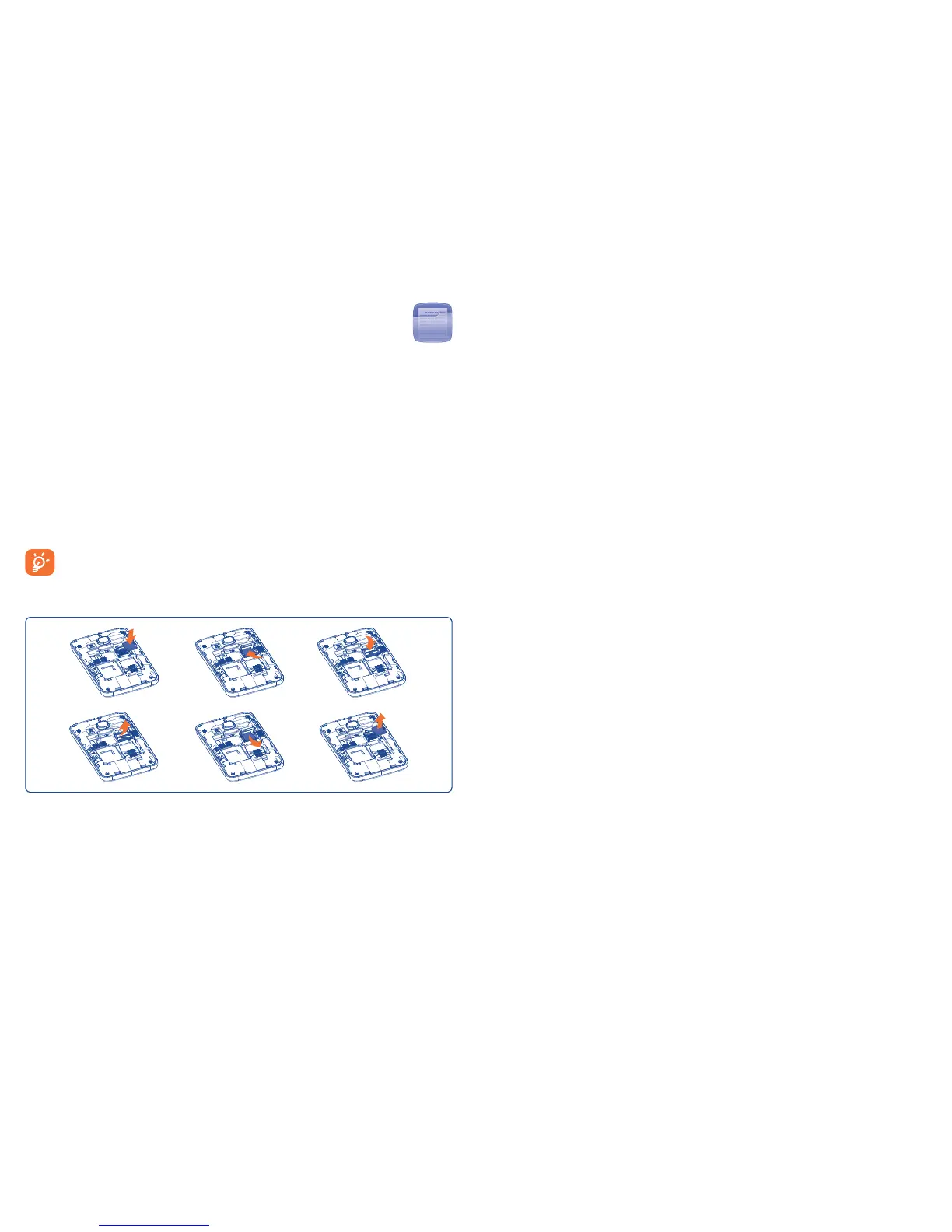
Inserting and removing the microSD card:
Place the microSD card with the chip facing downwards and slide it into
its housing. Make sure that it is correctly inserted. To remove the card,
press and slide it out.
Available options
Create folder Create more folders.
Delete folder Remove folders.
Rearrange folder Rearrange folders by time, size, etc.
Memory status23.3
Indicates how much space is used and how much is currently free on your
phone and SD card (if any).
Phone23.3.1
View available memory space.
Your phone’s memory is shared among several functions: contacts,
calendar, messages, images, melodies, games and video clips.
Memory card23.3.2
View the memory available on your microSD card.
You are advised to save large files (like songs) on your microSD card.










 To Next Page