15 16
Getting started
1
.....................
Set-up1.1
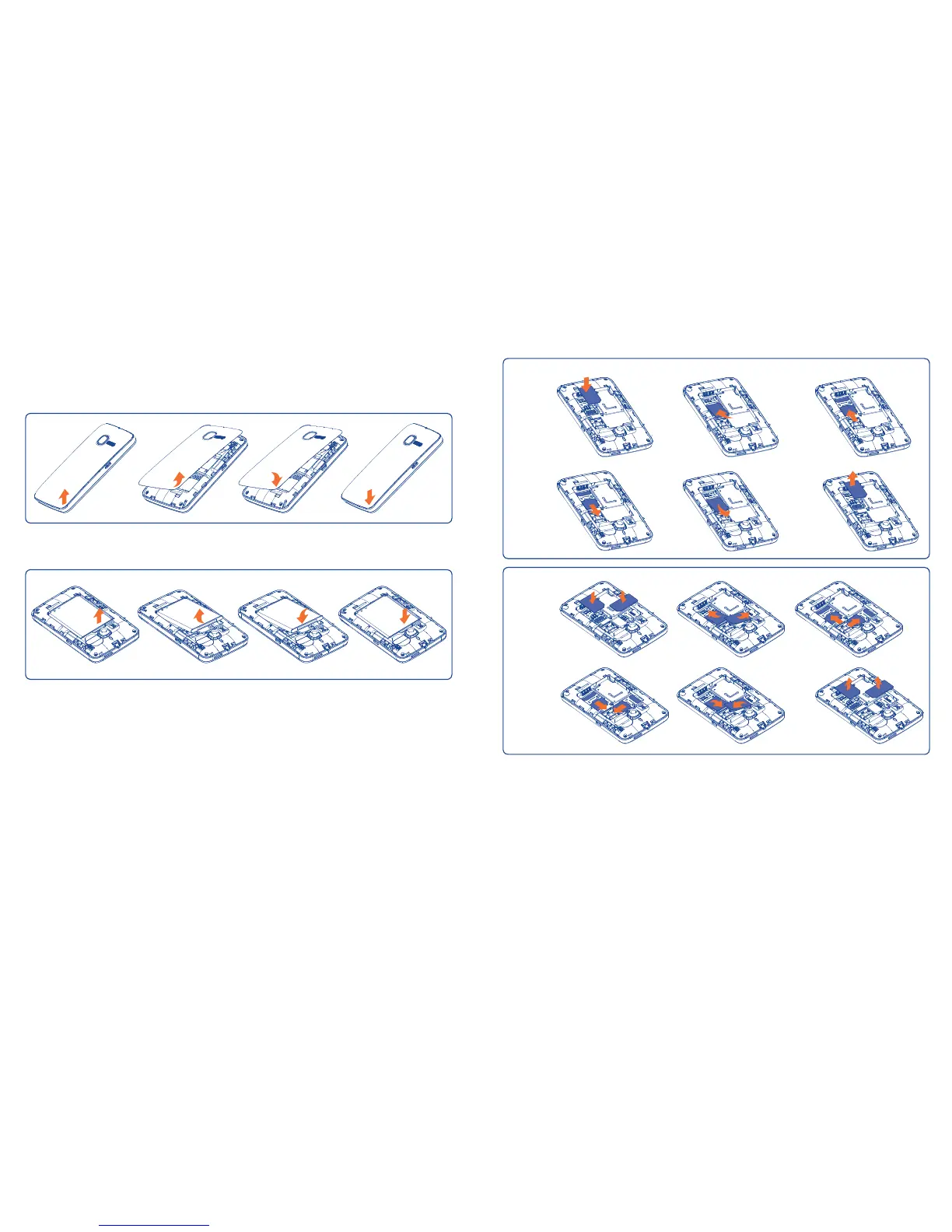
Removing or installing the back cover
Removing and installing the battery
Insert and click the battery into place, then close the telephone cover.•
Unclip the cover, then remove the battery.•
Inserting and removing the SIM card
(1)
You must insert your SIM card to make phone calls. Please power off your
phone and remove battery before inserting or removing the SIM card.
Place the SIM card with the chip facing downwards and slide it into its housing.
Make sure that it is correctly inserted. To remove the card, press it and slide
it out.
3040D, two SIM cards can be inserted.
(1)
Check with your network operator to make sure that your SIM card is 3V or
1.8V compatible. The old 5 Volt cards can no longer be used. Please contact
your operator.
3040G
3040D










 To Next Page