12
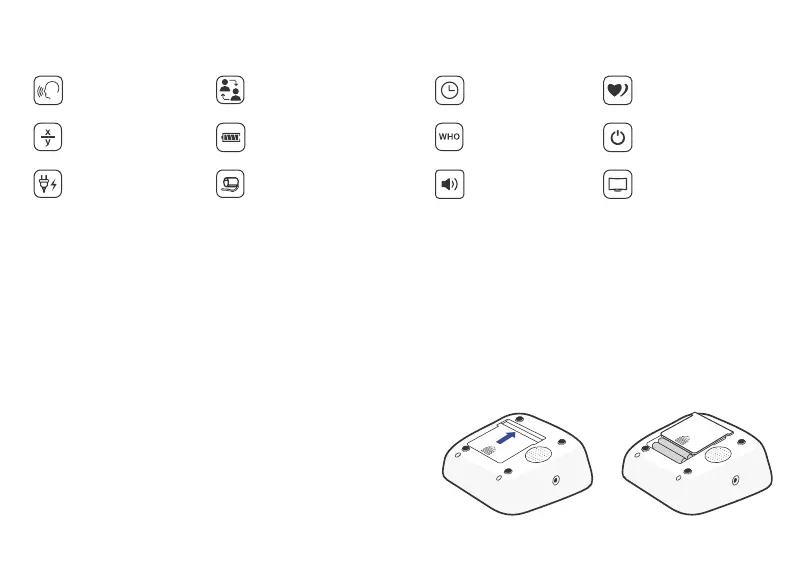
Features of Model B21
Use only 1.5V “AAA” alkaline batteries with this
device.
Note: Arm circumference should be measured with a measuring tape in the middle of the relaxed upper
arm. Do not force cuff connection into the opening. Make sure the cuff connection is not pushed into the
AC adapter port.
Using Your Monitor for
the First Time
Double users:
2 x 120 sets memory
Average value
function
Cuff self-checking
function
Low battery display
Talking function
Irregular heartbeat
checking
Date/time
display
Volume
adjustment
WHO function Auto power-off
Large LCD
Display
External power
adapter support
Battery Installation
Press the hook on the bottom of the battery
cover and lift the cover off in the direction of
the arrow.
Install 4 “AAA” size batteries so the + (posi-
tive) and - (negative) polarities match the po-
larities of the battery compartment, replace
the battery cover. Make sure that the battery
cover is securely in position.
1.
2.


 To Next Page