Definition of Keys
1, Page turning
2, page turning
3,Reduce/Enlarge key: Reduce or enlarge the word during the reading:
4, back key: short press to back to last menu, long press back to main menu;
5, Refresh key: refresh the EPD during reading;
6,Rotate: change the direction of the display during reading;
7, OK button: back to the menu during reading;
8, TF card slot
9, Micro USB slot: for charging and copy files to device;
10, Power button: press this button about 5 seconds to turn on or off the product; lock and unlock while press shortly
11, RESET: When the machine does not respond for a long time, you can press the reset key to reset and then to restart;
12, LED indicator: During charging LED light, and change to green after battery is full.
Basic Operation
1. To Start up
Push the power switch to “ ”, last for 5 seconds or so, the system will start up automatically. It will enter the main interface.
Push the power switch to “ ”, last for 5 seconds or so, the system will shut down automatically.
2. Last file, next file
press left or right key to shift to last and next file while scan the picture.
3. To connect with computer and transfer files
Use USB cable to connect with a computer, so that the product can be used as a removable disk to transmit data. While the product is
connecting with a computer through USB interface, it can be used as a U Disk. You can simply copy your favorite novels, music etc.
to the product, and you do not need a third part to access.
4. Reset
When the machine does not respond for a long time, you can press the reset key to reset and then to restart.
Usage Instruction
After starting up and accessing to the main interface, showing as below:

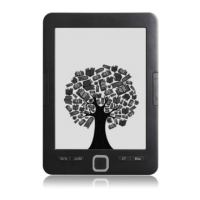

 To Next Page