16
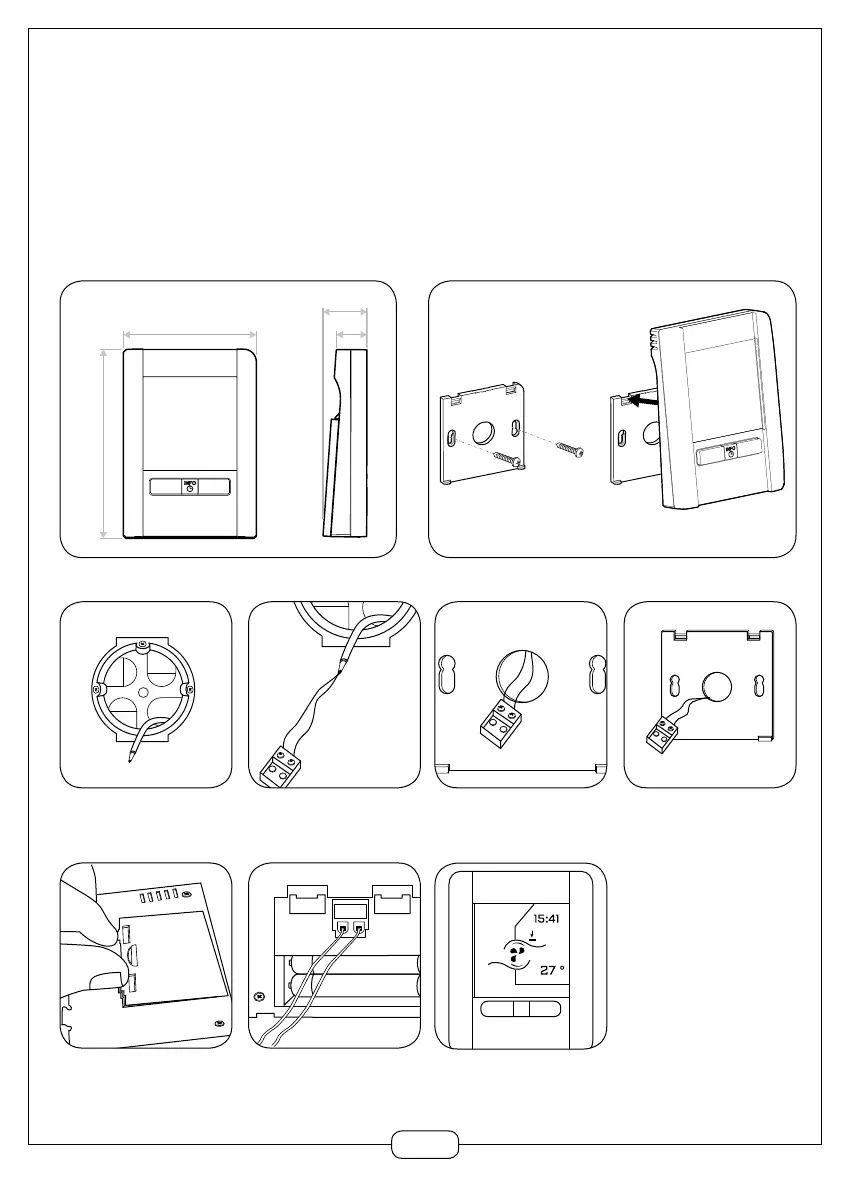
b) Wall mounted (cordless radio and wired versions)
To fix the radio remote control to a wall:
- Attach it using the central screw,
- Or first attach the wall bracket with two screws. Screws not provided. Use plugs suited to the type of wall.
To fix the wired remote control to the wall:
a) Prepare the flush-
mounted box.
e) Remove the battery cover.
c) Pass the connector into
the wall bracket.
B) Attach the connector.
f) Connect the connector to
the HMI.
f) Install the HMI.
d ) Fix the wall bracket
to the junction box.
Notes:
- For used as a wired
handset, it is preferable to
remove the batteries but
they may be left in place to
conserve the time.
- The wired connection does
not allow refitting of the bat-
tery hatch.


 To Next Page