19
B. Use
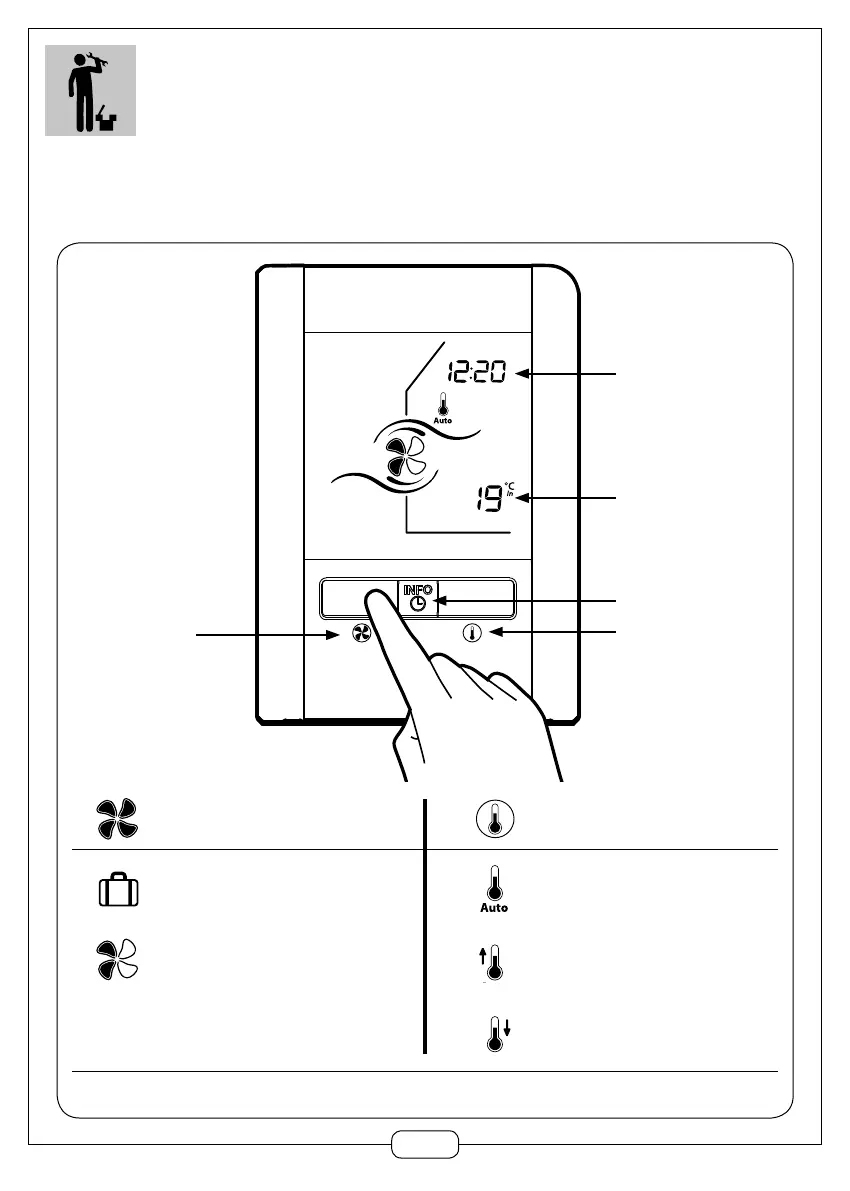
a) Home screen
Time
Indoor temperature
(room ambiance on the remote
control)
Select thermal comfort mode
To Info screen
Select fan speed
Absence
Speeds 1 to 4 (here 2)
Setting the time: press INFO button for 3+ seconds.
Select thermal comfort mode
The system optimises its operation to retain heat
inside in winter and cool air in summer
Priority to heating
Priority to cooling
Select fan speed
2. USER INFORMATION


 To Next Page