15
MODEL No.: CAP18FA.9 • 10/2021 • 706768
AFTER SALES SUPPORT
e-mail: info.aldi@positecgroup.com
1300 889 028
(toll free)
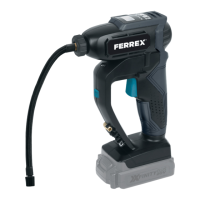
20 V Li-ion Air Pump
1. To choose desired pressure format (PSI, BAR, KPA, KG/CM
2
), press the
unit button (4). Each press of the button (4) cycles through the pressure
format. ( See Fig. K1, K2, K3, K4)
2. Screw the air chuck (19) or the desired adaptor onto the object you
wish to inate. When connected correctly, the gauge (2) will display the
pressure.
3. Press “+” (5) or”-” (3) to check pre-set level. Adjust to desired level by
pressing “+” (5) or”-” (3) . Once pre-set pressure is set, wait a few seconds
for display to change back to zero.
MIN MAX
PSI 3 150
BAR 0.2 10.3
KPA 20 995
KG/CM
2
0.2 10.5
Using the LED light
Your air pump is equipped with an LED light (10), it
increases visibility-great for dark or enclosed
area. (See Fig. L)
To turn on the LED light (10) simply press the light
on/o button (11).
To turn o the LED light (10) simply press the light
on/o button (11) again.
K1.
K2. K3. K4.
L .


 To Next Page