12
Sustain
The sustain feature lengthens the sound of the notes you play.
Note: To use this feature with a conventional sustain pedal instead of the button, connect a
1/4” (6.35 mm) sustain pedal (not included) to the sustain input on the rear panel.
To turn the sustain feature on or off, press Sustain. When on, an icon will appear next to
SUSTAIN in the lower-right corner of the display.
DSP
The DSP (digital signal processor) feature adds a subtle reverb effect to the sound, creating a
more realistic ambiance.
To turn the DSP feature on or off, press DSP. When on, an icon will appear next to DSP in
the lower-right corner of the display.
Chord Dictionary
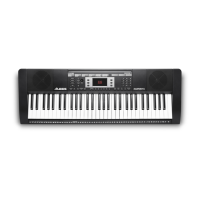
Harmony 61 has a built-in chord dictionary to help you learn chords. See Appendix > Chord
Dictionary for the complete list of available chords.
To use the chord dictionary:
1. Press Chord Dict. DICT will appear in the display.
2. To select the root note, press the corresponding key in the C6–B6 range on the
keyboard. The note letter will appear in the display.
To select the chord type, press the corresponding key in the C4–B5 range on the
keyboard. The chord type will appear next to the note letter in the display.
The current chord will appear as notes on the music staff in the display.
3. Press the correct combination of keys in the C2–B3 on the keyboard. When you press the
correct combination of keys, you will hear a single clap sound with the chord.
To exit the chord dictionary, press Chord Dict.



 To Next Page