EasyManua.ls Logo

Alesis M1 Active Mk2 - User Manual

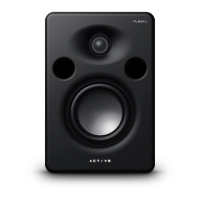
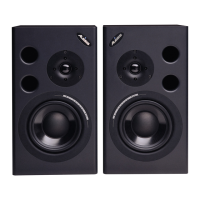
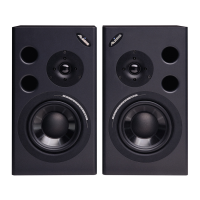
Alesis M1 Active Mk2
48 pages
Print Icon
To Next Page IconTo Next Page
Loading...
REFERENCE MANUAL
©2001 ALESIS CORPORATION

Questions and Answers

  • C
    cynthia08Jul 26, 2025
    What to do if my Alesis M1 Active Mk2 Speakers have no sound?
    • B
      Brian KirbyJul 26, 2025
      If your Alesis Speakers are producing no sound, there are several potential causes: * **Speaker disconnected:** Ensure that the input cable connections are secure. * **Input level down:** Check the input control on the back panel and increase the level. * **AC power not on:** Verify that the blue LED on the front of the speaker is illuminated. Check the power switch and the power input cable.
  • M
    Mrs. Kayla Lewis MDAug 2, 2025
    Why is the output distorted on my Alesis M1 Active Mk2?
    • F
      Frank NicholsAug 2, 2025
      Distorted output from your Alesis Speakers can be due to a couple of reasons: * **Power amp overloading speakers:** Reduce the level to prevent overloading. * **Damaged speaker components:** To check this, swap the channels to see if the problem is with the speaker itself. If the distortion follows the speaker after swapping channels, it may indicate damaged components.
  • A
    Aaron TorresAug 10, 2025
    Why do my Alesis Speakers have unfocused sound, bass frequencies muddy or missing?
    • O
      oscar12Aug 10, 2025
      Unfocused sound and muddy or missing bass frequencies in your Alesis Speakers can be caused by: * **Inputs out of phase:** Verify the + and - connections from the mixer to the input, ensuring that 'pin 2 is hot'. * **Subwoofer being used improperly:** When using a subwoofer, install port plugs. * **Poor mix:** Compare your mix to a commercial CD of a similar style. It may be time to remix your track.
  • D
    David SmithAug 16, 2025
    How to fix hum or buzz in Alesis M1 Active Mk2?
    • J
      Joseph WongAug 17, 2025
      A hum or buzz in Alesis Speakers is often due to a ground loop between the source and the speaker. To resolve this: * Use balanced cables. * Ensure that the M1 Actives are on the same AC power circuit as the mixer.

Summary

Introduction

Important Safety Instructions

Crucial safety guidelines for operating the product.

About the M1 Active Mk2

Bi-Amplification and Crossover System

Explains the bi-amplification and crossover system design.

Speaker Installation

Studio Placement and Reflections

Techniques to minimize unwanted sound reflections in the studio environment.

Stereo Nearfield Placement

Guidance on optimal placement for stereo listening.

Troubleshooting

Troubleshooting Index and Common Issues

An index to help diagnose and resolve common issues.

Maintenance and Servicing

Cleaning, maintenance, and procedures for obtaining repair service.

Specifications

Alesis Limited Warranty

Alesis Limited Warranty Details

Details the terms and conditions of the product warranty.

Alesis M1 Active Mk2 Specifications

General IconGeneral
TypeActive Studio Monitor
Crossover Frequency2.8 kHz
Woofer6.5 inch
Tweeter1 inch silk dome
InputsXLR
Input Impedance20 kOhms balanced, 10 kOhms unbalanced
ProtectionRF interference, output current limiting, over temperature, turn-on/off transient, subsonic filter

Related product manuals