Speaker Installdion
Connections
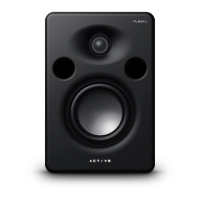
The M1 Active has
been designed
to be as sirnple
as possible to
set up and use.
However,
please follow the inskuctions
to ensure
that you
get the best
possible
performance
from
your
monitors.
Before
connecting the
speakens, make sure the
power
switches
of
the Ml Actives
and any equipment they will
be connected to are
turned OFF.
AC
porrer
cable
READ ALL SAFETY
WARNINGS IN THE PREVIOUS SECTION OF THIS
MANUAL TO ENSURE SAFE OPERATION OF THESE UNITS.
Connect the
M1
Actives to the specified
power using
the AC cables supplied. The AC cables are
removable. If the distance to your AC
outlet
is longer or shorter
than the supplied
cable,
you may substitute an approved
standard
NEMA-Io-CEE power cable of the
correct
length, available from most electronics
stores.
Grounding
CONNECT THE Ml ACTIVES TO A PROPERTY GROUNDED OUTTET
ONLY. DO NOT USE ADAPTERS WHICH
REMOVE
THE SAFETY
GROUND PROTECNON OR CUT OFF THE GROUNDING PRONG ON
THE POWER CORD. Proper
grounding
is essentaal for user safety
and
low
noise.
Il
you
experience 60-cycle
hum in
your
sound
system a5 a
result
of different
ground potentials
between
different units in
youl
system,
plug
all units into the same AC
circuit
(if
the total
power
load allows) and
make
sure
other devices
in the system are
properly grounded
themselves.
The Ml Active
features balanced inputs,
so
if it is
properly
connected to other
balanced units,
AC
ground potentiab
will
not
affect the audio.
lf
you
cannot
get
rid of
ground
loops, consult a
professional
electrician familiar with sound system
power
designs.
Use
clean
power
The M1 Active's internal power supply is designed to
filter
out most AC
line noise.
However,
it is
still
good practice to plug your sound equipment into an AC circuit
that is not shared with lighting dimmers,
refrigerators, air
conditioning units,
or
other appliances that may induce noise into the
power system.
Power switch
The
POWER
switch
is located on the
back
panel. A blue
power
indicator lamp is on
the front
panel.
ftI ACT]UE Rffi TAf,I'AL












 To Next Page