21
algorithm implemented in the QuadraVerb Plus gives independent access to the
Up and Down version of the original spectrum. The ring modulator treatment will
be most valuable for special effect on voices or sound effects.
SELECTING THE RING MODULATOR
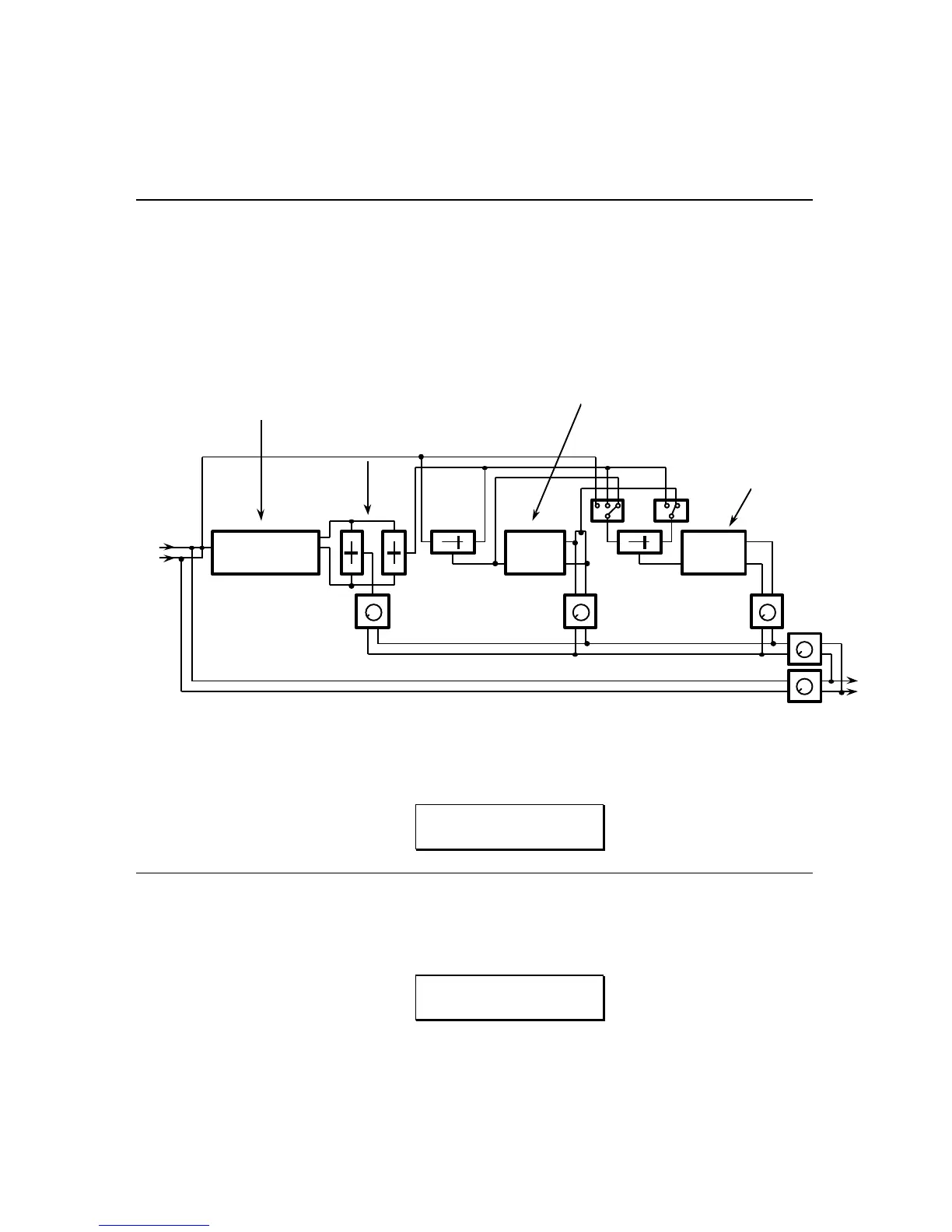
The Ring Modulator is accessed through new Configuration 6, which is RING
MODULATOR->DELAY->REVERB. The block diagram of this configuration is:
FIGURE 2
CONFIGURATION 6
RING MODULATOR->DELAY->REVERB BLOCK DIAGRAM
RING
MODULATOR
DELAY REVERB
MIX MIX
1 2 1 2
DELAY OUTPUT REVERB OUTPUT
EFFECTS OUTPUT
L
R
L
R
RING
MODULATOR
OUTPUT
UP
DOWN
DELAY TYPES
Mono Delay - 800ms
Stereo Delay - 400ms per side
Ping-Pong Delay - 400ms
REVERB TYPES
Plate 1
Room 1
Chamber 1
Hall 1
Reverse 1
RING MODULATOR CONTROL:
Spectrum shift amount
DIRECT SIGNAL
Ring Mod. output shift mix
Delay/Reverb shift mix
To select this configuration, first press the CONFIG button, then press the VALUE
buttons until the display reads:
CONFIGURATION:
RING->DL->REVERB
EDITING THE RING MODULATOR PARAMETERS
1) To access the Ring Modulator parameters, press the PITCH button. The
display will then read:
SPECTRUM SHIFT:
100Hz
Pressing the VALUE buttons will select the desired Spectrum Shift. The
range is 1 Hertz to 300 Hertz in 1 Hertz increments.



 To Next Page