23
SELECTING THE RESONATOR CONFIGURATION
The Resonators are accessed through new Configuration 7, which is
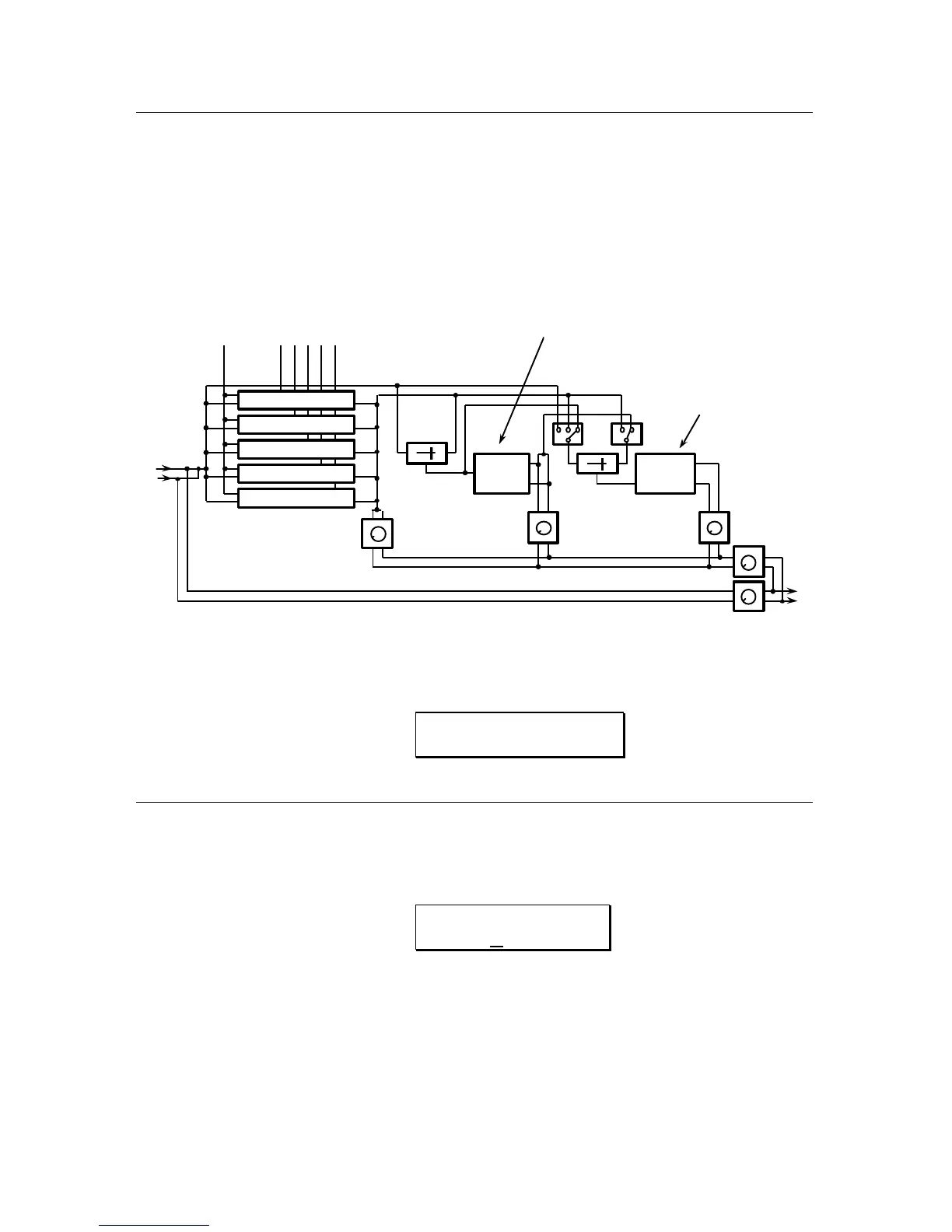
RESONATOR->DELAY->REVERB. The block diagram of this configuration is as
follows:
FIGURE 3
CONFIGURATION 7
RESONATORS->DELAY->REVERB BLOCK DIAGRAM
DELAY REVERB
MIX
MIX
1 2
1 2
DELAY OUTPUT REVERB OUTPUT
EFFECTS OUTPUT
L
R
L
R
RESONATOR
OUTPUT
DELAY TYPES
Mono Delay - 720ms
Stereo Delay - 320ms per side
Ping-Pong Delay - 320ms
REVERB TYPES
Plate 1
Room 1
Chamber 1
Hall 1
Reverse 1
RESONATOR CONTROLS:
Frequency
DIRECT SIGNAL
Decay time
Resonator 1
Resonator 2
Resonator 3
Resonator 4
Resonator 5
To select this configuration, first press the CONFIG button, then press the VALUE
buttons until the display reads:
CONFIGURATION:
RESONATOR>DL>REV
EDITING THE RESONATOR PARAMETERS
1) To access the Resonators parameters, press the PITCH button. The display
will then read:
RESONATOR GATE
MODE: CONTINOUS
This page determines if the resonators are gated by an incoming MIDI
note on/off. If the MIDI GATE is on, the input of each resonator will be
connected to the input signal only while its corresponding MIDI gate is on.
Consequently, when a note is released, the output of the resonator driven
by this note will decay to zero even if the input signal is active. Pressing
the
VALUE buttons will select the MIDI GATED mode.



 To Next Page