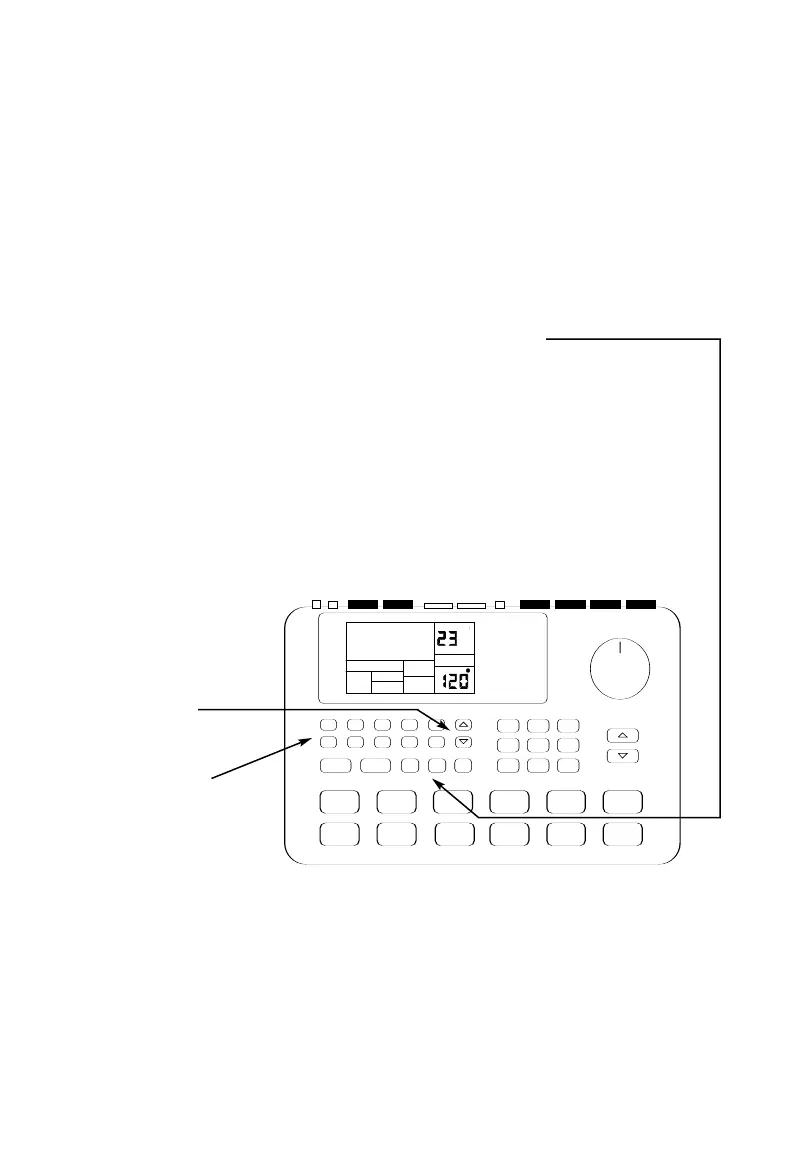
3 You can call up a
different Pattern
number if desired.
Press the UP/DOWN
arrow buttons
to select a Pattern or
enter a Pattern number
(00-49) with the
number buttons.
2 If an A Pattern is playing, press
the B button (or press A if a B
Pattern is playing).
The alternate Pattern will begin
playing as soon as the currently-
selected Pattern reaches its end.
1 Begin by selecting a Pattern and pressing
PLAY.
Each Pattern number, Preset and User, includes A and B "sub-Patterns." The Preset A and B
variations complement each other. For example, in a Rock Pattern, A could play the verse, and B
the chorus. In fact, you may construct many songs just by switching back and forth between the
A and B variations.
Playing Sequences of Patterns



 To Next Page