7
T1°C = All water temperature sensors in CELSIUS
T2°C = Cylinder head temperature sensors in CELSIUS
T1°F = All water temperature sensors in FAHRENHEIT
T2°F = Cylinder head temperature sensors in FAHRENHEIT
6
th
Impulse to the left button: this takes you to the Main Menu 2,
sub-menu - 11 - :
ENGINE TEMPERATURE ALARM SETTINGS. “Conf ALAr”
With the right button you select your target for the temperature alarm.
To scroll faster you hold the button.
7
th
Impulse to the left button: this takes you to the Main Menu 2,
sub-menu - 12 - :
RESET TO FACTORY DEFAULT SETTINGS : “Conf dEFt”
With right button the system reset to the default settings The default settings are:
- D : Direct RPM reading.
- 2 : 2 Strokes
- 1 Strip : 1 Magnetic Strip on the track.
- T1°C : All water temperature sensors in CELSIUS
- 50° :Temperature alarm.
When in one of the menus the buttons are not activated for longer than 120 seconds, the system automatically
returns to the mode STOP.
5° RECORDING MODE “rec”
This option is linked with only the software (ALFANO_VUE 1.1). This allows you to record the engine rpm in 6’36’’80 hundredths
of a second every 0.2 seconds. This provides you with:
1) the various engine rpm at any point on the track.
2) the vehicle acceleration.
How to switch the ALFANO PRO to the RECORD mode “ rec”?
Before accessing to this mode make sure that the number of magnetic strips are properly set in the LAP TIMING Mode.
WARNING! A bad configuration unavoidably leads to a defective reproduction of data.
First bring the ALFANO PRO into position : "Best time and maximum engine speed of all recorded circuits”. (See: Chapter 2 "Mode of
operation"). The display lasts for 2 seconds.
Press the left button (1) to start the new option in the ALFANO PRO during these 2 seconds.
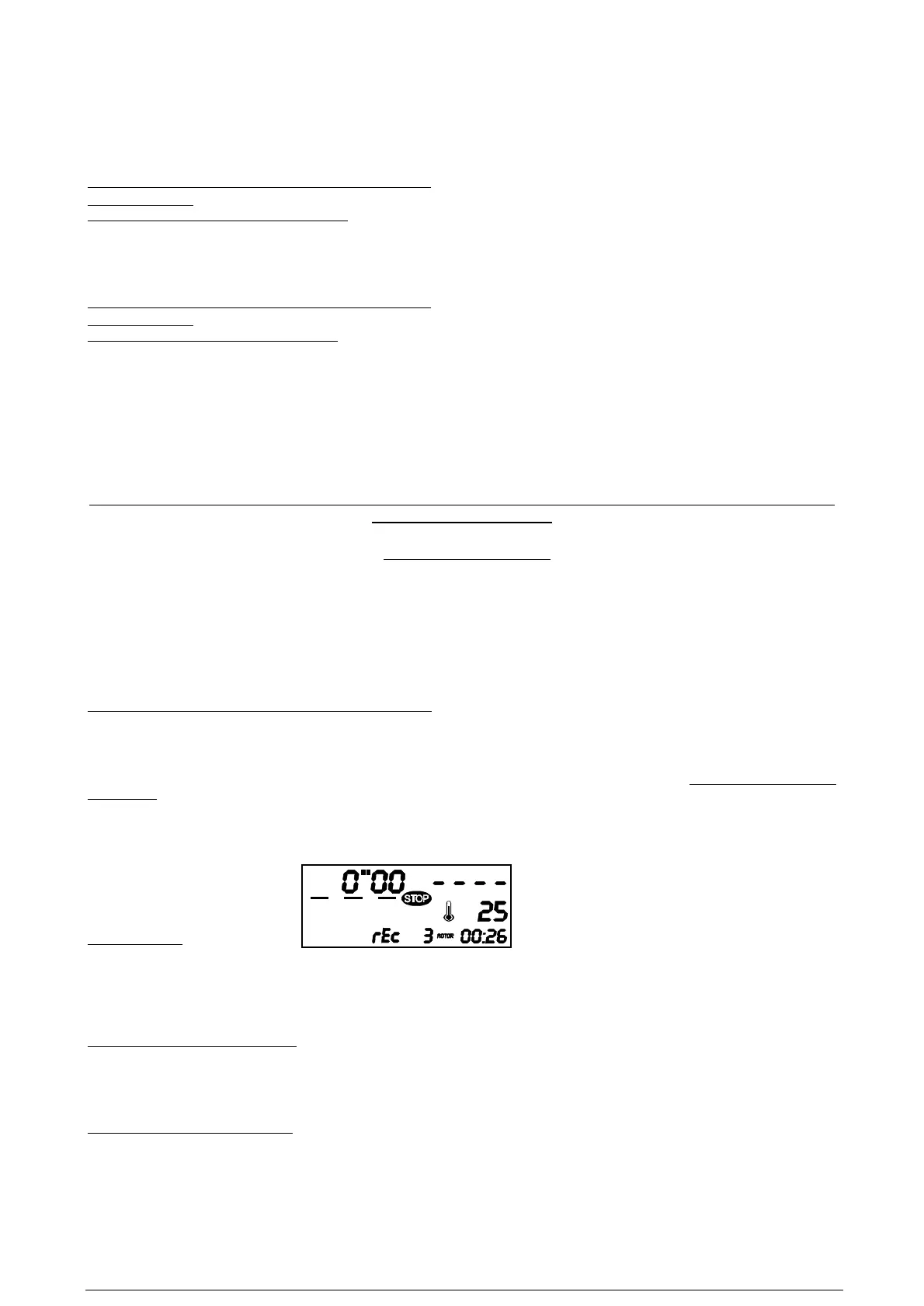
RECORDING (rec)
Mode of operation
To verify the number of magnetic fields programmed, (number of bars displayed on the left of the STOP). Press the right push button (2)
STOP clears, to start recording the systems waits for the next magnetic strip.
If you press the right push button (2) again during recording the system restarts recording from zero.
Change to STOP mode (end recording)
1) When the memory is full (counter shows 6’36’’80 hundredths of a second) the system automatically switches to the STOP mode.
2) Press the left button (1) to switch the system to the STOP mode and recording is stopped.
Transferring the recorded data to a PC
If the left push button (1) is pressed in the STOP mode the system shows "PRINT" together with the serial number of your ALFANO
PRO. Confirm with the right push button (2).


 To Next Page
 Loading...