8373 Zone Paging Adapter (FW 1.7)
Document 91-00071B Algo Communication Products Ltd (604) 454-3792
05/06/2020 4500 Beedie St Burnaby BC Canada V5J 5L2 support@algosolutions.com
Page 35 www.algosolutions.com
SNMP Support
Additional SNMP support is anticipated for future, but the 8373 Zone Paging Adapter will
respond to a simple status query for automated supervision. Contact Algo technical
support for more information.
System Integrity Checking
This feature verifies installed system packages to ensure they have not been tampered
with by running ‘Perform Check’. Enabling this feature may cause reboots and upgrades
to take 30 seconds longer. Verification results can be found on the Status page.
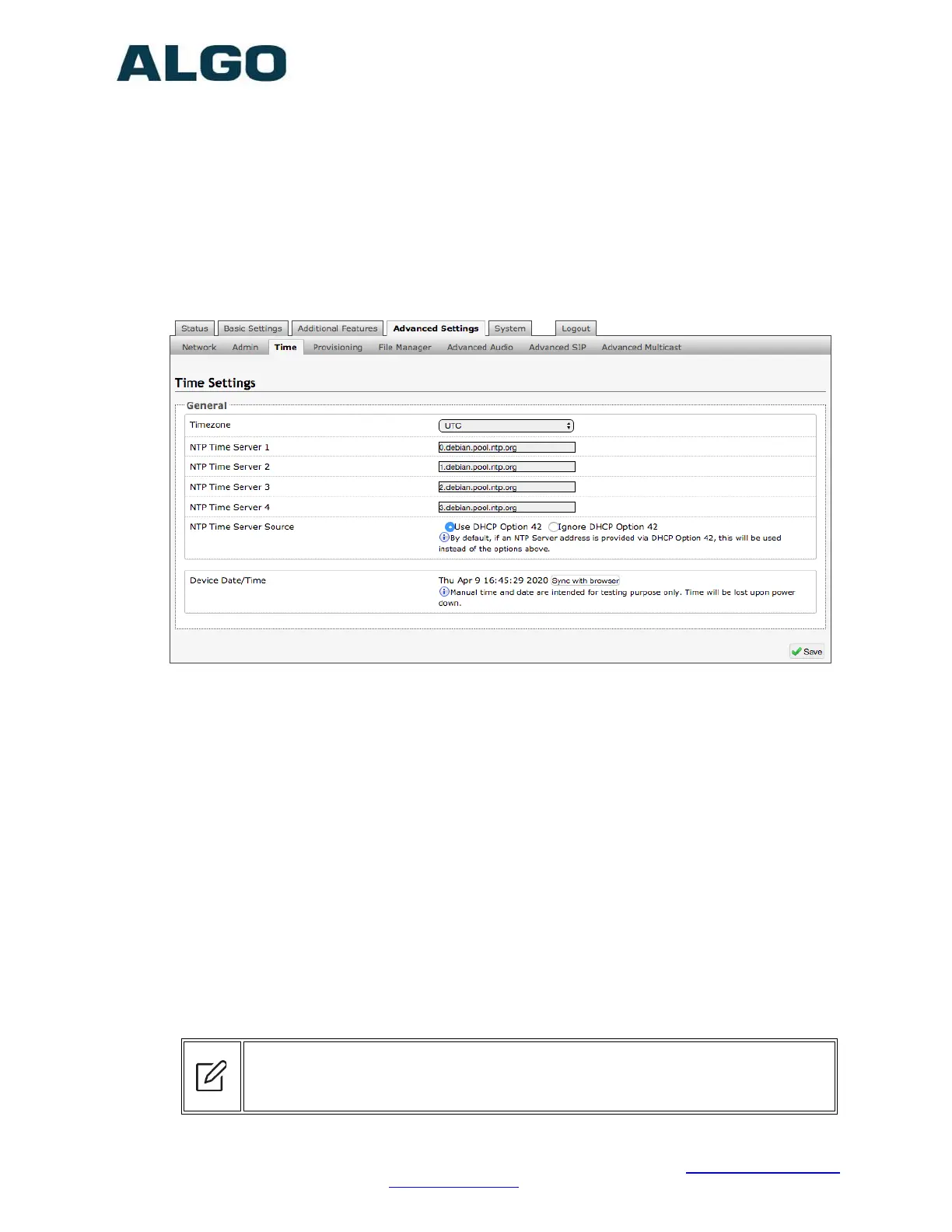
Advanced Settings Tab – Time
Network time is used for logging events into memory for troubleshooting.
Time Zone
Select time zone.
NTP Time Servers 1/2/3/4
The adapter will attempt to use Timer Server 1 and work down the list if one or more of
the time servers become unresponsive.
NTP Time Server Source
When “Use DHCP Option 42” is chosen, if an NTP Server address is provided via the
DHCP Option 42, that NTP Server will be used instead of the 4 mentioned above.
Alternatively, “Ignore DHCP Option 42” can be chosen to only use servers mentioned
above.
Device Date/Time
This field shows the current time and date as set on the device. If testing the device on a
lab network that may not have access to an external NTP server, the “Sync with
browser” button can be used to temporarily set the time on the device.


 To Next Page