12
5.1 • MAIN SWITCH AND KNOB
ALLOWING SELECTION OF
COOKING MODE AND COOLING
WITH OVEN DOOR OPEN
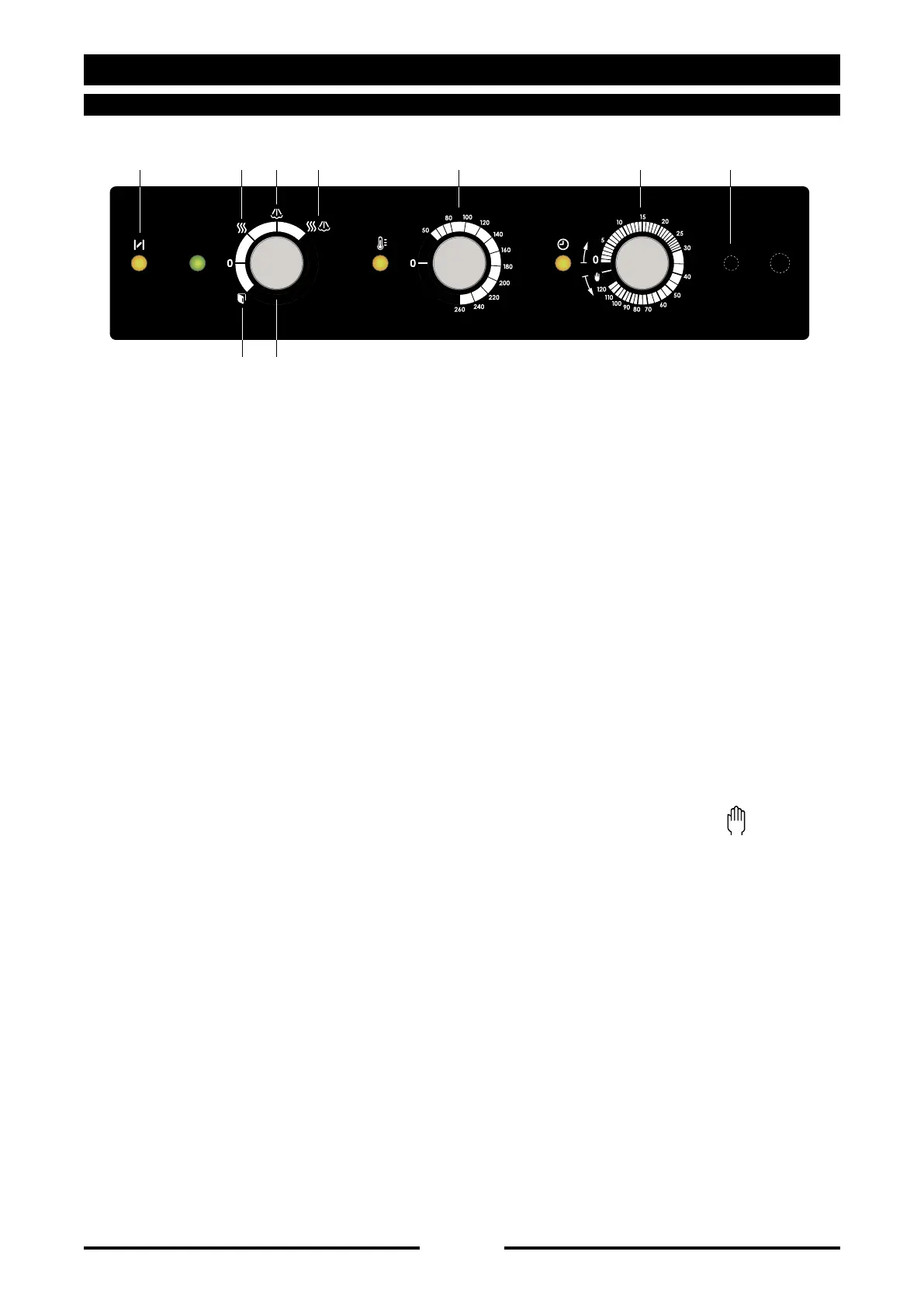
To switch on the oven turn the knob 1
onto the required cooking mode:
3 convection
4 steam
5 combination
The indicator light on the side of knob 1
turns on, indicating that the oven is
powered.
To cool the oven quickly, open the door
and turn the knob onto symbol 2. This
activates the fan, which rapidly lowers
the temperature in the oven. This function
can be used when the next product to
be cooked requires a much lower oven
temperature.
5.2 •
TEMPERATURE SETTING KNOB
Use knob 6 to set the preheat temperature
with the oven empty, or the required
cooking temperature.
When the set temperature is reached in
the oven, the indicator light located near
the knob will go out. You can follow the
thermostatting with this indicator light:
if the indicator is alight, the heating
elements are in operation; if the indicator is
not alight, the heating elements are OFF.
5.3 •
COOKING TIME SETTING KNOB
Use knob 7 to set the required cooking time.
When cooking is not controlled by time,
position the knob on infinite .
The oven will not come into operation until
this final setting has been made.
If a set cooking time has been selected
the oven will switch itself off when the
time elapses and emit a beep; this can be
interrupted either by opening the door or by
switching off the oven. Whereas, if infinite
time has been selected, the oven must be
switched off manually, by returning the knob
to the zero position.
When the indicator is alight, the oven is in
operation.
OPERATIONS
5 • OVEN OPERATION
90036450rev01
2 1
3 4 5 6 7 89



 To Next Page