Need help?
Do you have a question about the ALIBI ALI-NVR7232R and is the answer not in the manual?
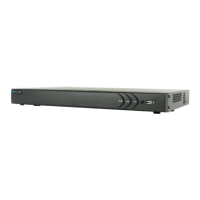
The ALI-NVR7232R is an embedded network video recorder (NVR) designed for comprehensive surveillance and video evidence capture. It supports up to 32 IP cameras and features eight front-loaded, hot-swappable HDD bays for extensive storage capacity. The NVR is designed for secure installation, either on a shelf or in a rack using provided mounting brackets, in a clean and well-ventilated area to ensure optimal performance and longevity.
The NVR serves as the core device for monitoring and recording video evidence from multiple IP cameras. It processes and stores video data, allowing for continuous surveillance, scheduled recording, alarm-triggered recording, motion detection, and point-of-sale (POS) event recording. The system can be configured to manage network settings, user access, and various alarm inputs and outputs. It supports multiple video output formats (VGA and HDMI) for local display and can be accessed remotely via a local area network (LAN) or the internet. The NVR also includes features for video backup and export, ensuring that critical data can be securely stored and retrieved.
The NVR offers a user-friendly interface for configuration and operation. Upon initial power-on, a splash screen displays, followed by a check of the installed HDDs. New HDDs must be initialized through a setup wizard or the firmware menu system. The wizard guides users through essential configuration steps, including creating an administrative password, setting up security questions for password recovery, configuring time zone and date formats, and defining network settings.
Network configuration allows for either DHCP (Dynamic Host Configuration Protocol) or fixed IP settings. For fixed settings, users can manually enter IPv4 Address, Subnet Mask, and Default Gateway, along with Preferred DNS Server addresses. The NVR supports two LAN ports, which can be configured for net fault-tolerant mode, load balancing, or multi-address functionality, enhancing network reliability and performance.
The NVR integrates with the Alibi-Connect Platform Access, enabling access via the Alibi Witness 2.0 smartphone app through a direct peer-to-peer connection and facilitating firmware updates. Users can also configure network ports and Dynamic Domain Name System (DDNS) settings for remote access.
Camera management is a key feature, allowing users to add IP cameras to the system. The NVR supports various recording modes, including continuous, motion detection, and alarm-triggered recording. After adding cameras, users can adjust their direction and aim to optimize surveillance coverage. The Live View display allows simultaneous viewing of multiple camera feeds, and the system provides options for playback, export, VCA search, and manual recording.
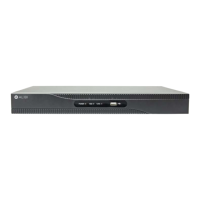
The NVR's front panel includes status indicators for power, alarm, network activity (Tx/Rx), HDD status, readiness, and archive operations, providing immediate visual feedback on the system's state. Channel status indicators light up when a specific channel is active. Two USB 2.0 ports on the front panel allow for connecting a USB mouse or external storage devices for backup/export operations.
The back panel offers a comprehensive set of connectivity options:
The NVR supports mouse control for navigation and interaction with the graphical user interface. Both left-click and right-click functions are available, with right-click typically opening context-sensitive menus. The scroll wheel allows for navigation through lists and zooming in/out of video feeds. A soft keyboard is provided for text input, supporting uppercase, lowercase, numeric, and symbol characters.
The NVR is designed for ease of maintenance, particularly regarding HDD installation and replacement. The front-loaded HDD bays are hot-swappable, allowing for HDDs to be added or replaced without powering down the entire system. Disk mounting handles facilitate easy insertion and removal of HDDs. When installing new HDDs, it is crucial to follow recommended electrostatic discharge (ESD) guidelines to prevent damage to electronic components. The NVR chassis should be touched frequently to dissipate static charge, and a certified ESD wrist strap should be worn if available.
The system provides a GUID (Globally Unique Identifier) file export feature, which is created during the initial password setup. This file can be saved to a flash media device and used to reset the administrative password if it is forgotten, enhancing system recoverability.
Regular firmware updates are supported and can be managed through the Alibi-Connect Platform Access. The NVR's design emphasizes proper ventilation to prevent overheating, which can reduce the lifespan and reliability of the equipment. Users are advised to avoid placing objects that block airflow around the NVR.
For power stability and protection against surges and sags, it is strongly recommended to connect the NVR to an uninterruptible power supply (UPS). This ensures continuous operation during power outages and protects the device from electrical fluctuations.
Alarm output circuits can be configured for either DC or AC loads. For AC loads, specific jumpers inside the chassis must be removed, and an external relay should be used for safety. This flexibility allows for integration with various alarm systems and devices.
The NVR's modular design, with easily accessible HDD bays and clear back panel labeling, simplifies troubleshooting and component replacement, contributing to overall system maintainability.
 General
| Model | ALI-NVR7232R |
|---|---|
| Channel Support | 32 channels |
| Video Input | 32 IP channels |
| Decoding Format | H.265+/H.265/H.264+/H.264 |
| Max HDD Capacity | Up to 10TB per HDD |
| USB Interface | 2 x USB 2.0, 1 x USB 3.0 |
| Operating System | Embedded Linux |
| Operating Temperature | -10°C to +55°C (14°F to 131°F) |
| Video Output | HDMI, VGA |
| Recording Resolution | Up to 12MP |
| Network Interface | 2x RJ45 10/100/1000 Mbps |
| Power Supply | 100-240V AC, 50/60Hz |

 To Next Page