The Service Tag is a unique alphanumeric identier that enables Dell service
technicians to identify the hardware components in your computer and
access warranty information.
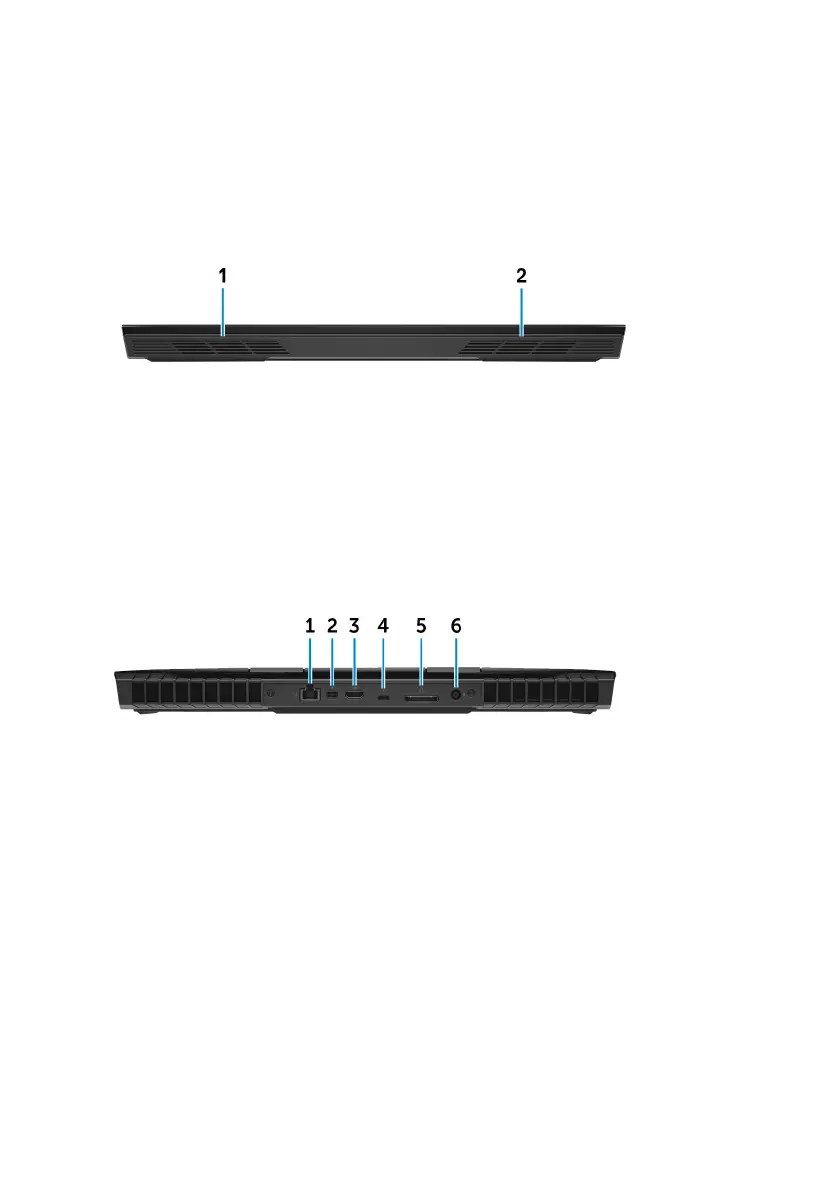
Front
1 Left speaker
Provides audio output.
2 Right speaker
Provides audio output.
Back
1 Network port (with lights)
Connect an Ethernet (RJ45) cable from a router or a broadband modem for
network or Internet access.
The two lights next to the connector indicate the connectivity status and
network activity.
2 Mini DisplayPort
Connect a TV or another DisplayPort-in enabled device. Provides video and
audio output.
3 HDMI port
Connect a TV or another HDMI-in enabled device. Provides video and audio
output.
14












 To Next Page