Set up your computer
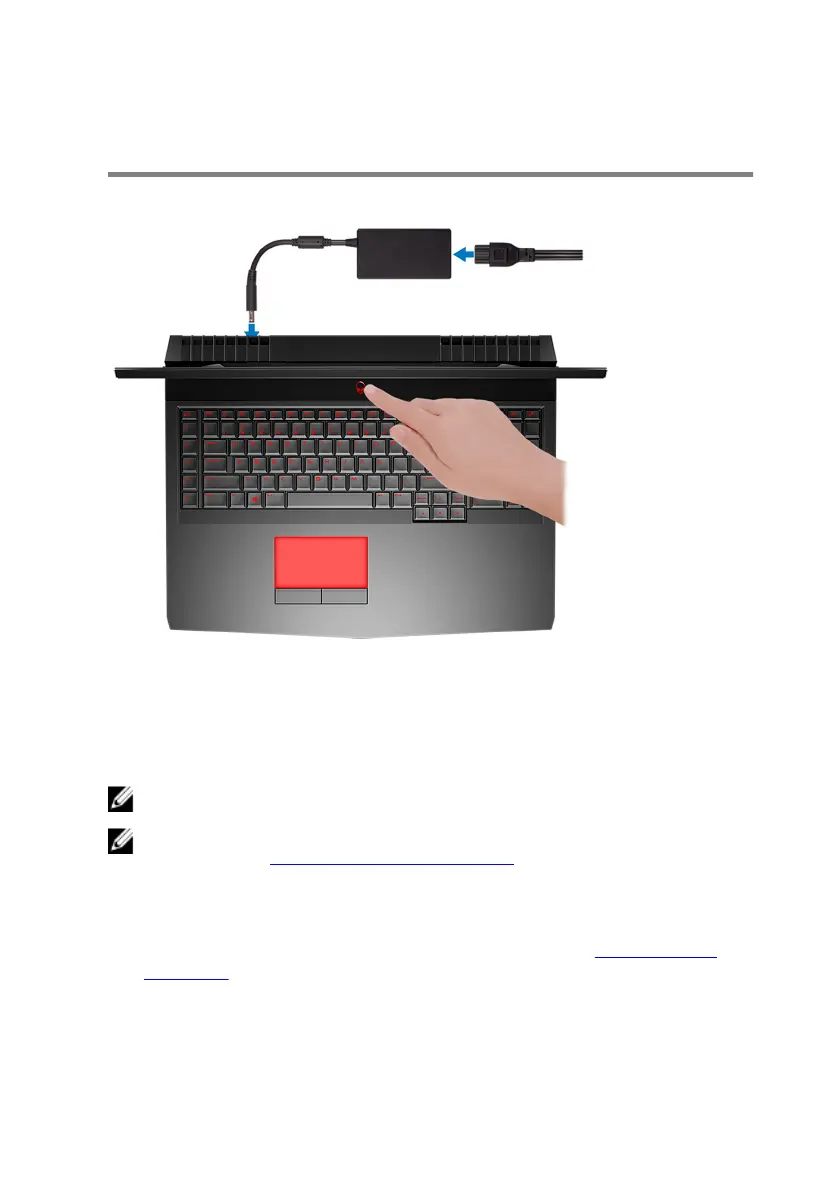
Connect the power adapter and press the power button.
Set up the Virtual Reality (VR) headset—
optional
NOTE: The VR headset is sold separately.
NOTE: If you are using Alienware Graphics Amplier with your
computer, see Alienware Graphics Amplier.
HTC Vive
1 Download and run the setup tools for your VR headset at www.dell.com/
VRsupport.
2 Connect the HDMI cable of the HTC Vive headset to the back of your
computer.
5












 To Next Page