Views
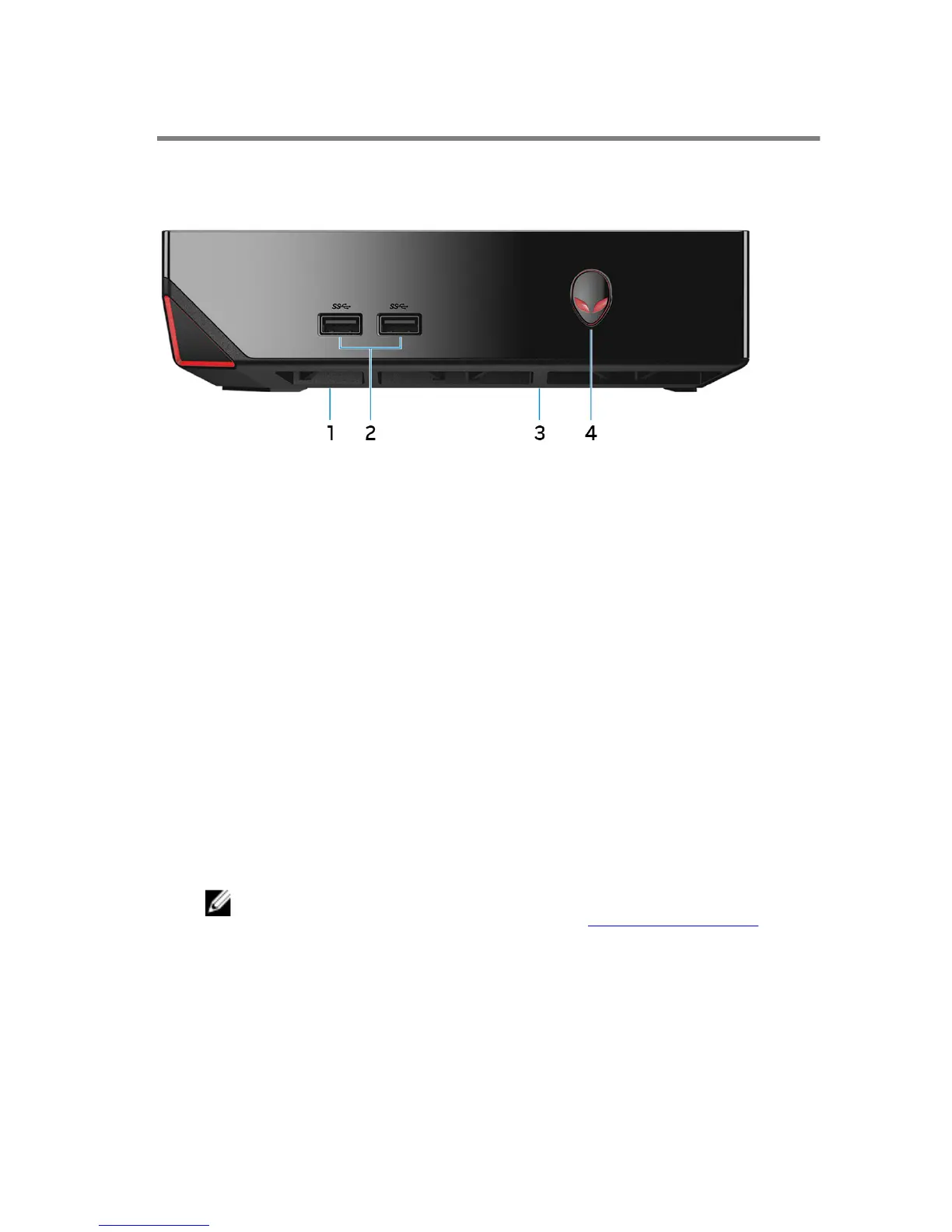
Front
1 USB 2.0 port (beneath USB port cover)
Connect a Bluetooth/wireless dongle for wireless keyboard, mouse, and so on.
Provides data transfer speeds up to 480 Mbps.
2 USB 3.0 ports (2)
Connect peripherals such as storage devices, printers, and so on. Provide data
transfer speeds up to 5 Gbps.
3 Service tag location
The service tag is a unique alphanumeric identifier that allows Dell service
technicians to identify the hardware components in your computer and access
warranty information.
4 Power button
Press to turn on the computer if it is turned off or in sleep state.
Press to shut down the computer if it is turned on.
Press and hold for 4 seconds to force shut‑down the computer.
NOTE: You can customize the power‑button behavior in Power Options.
For more information, see Me and My Dell at www.dell.com/support.
7















 To Next Page