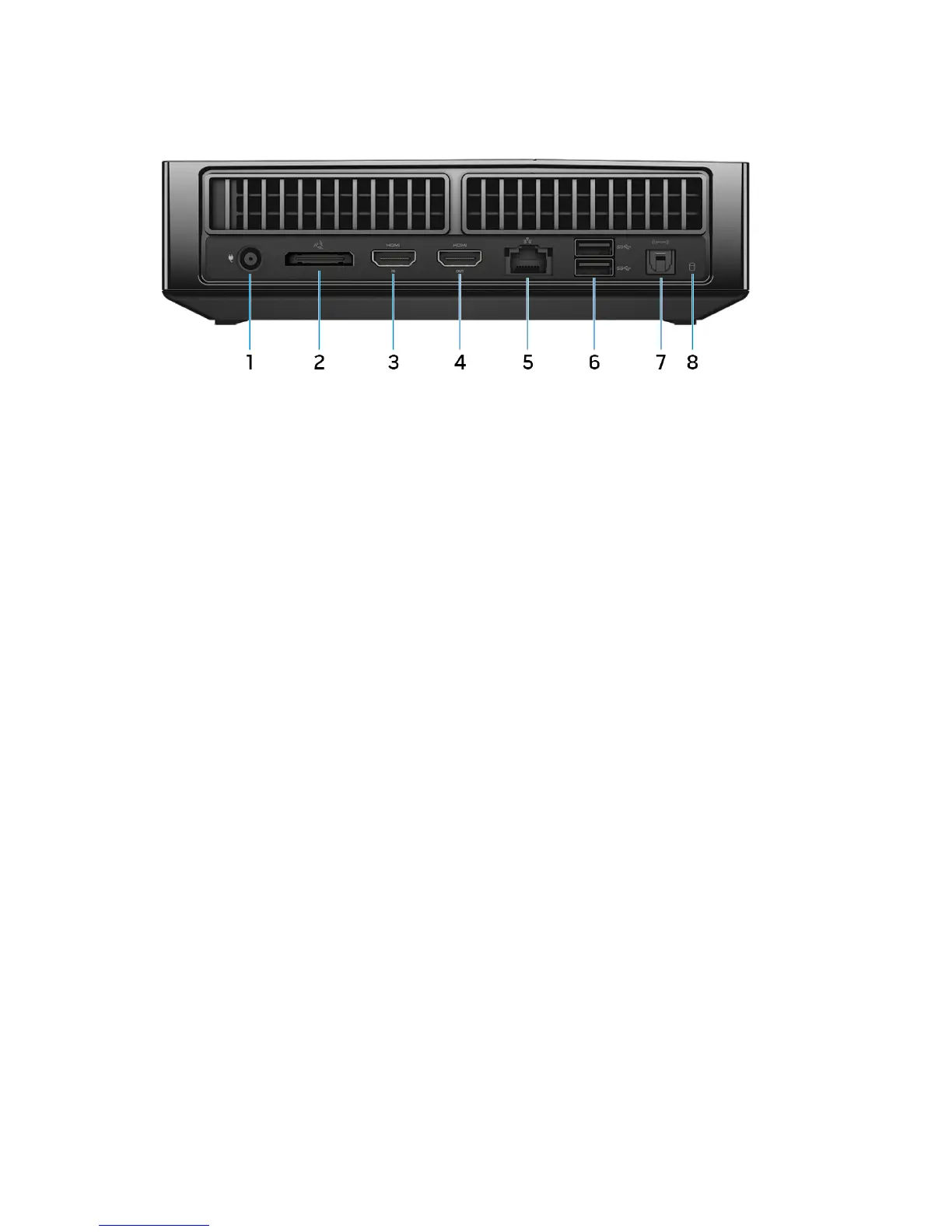
Back
1 Power-adapter port
Connect a power adapter to provide power to your computer.
2 Graphics Amplifier port
Connect the Alienware Graphics Amplifier.
3 HDMI-in port
Connect a gaming console, Blu‑ray player, or other HDMI‑out enabled devices.
4 HDMI-out port
Connect a monitor, TV, or other HDMI‑in enabled devices. Provides video and
audio output.
5 Network port
Connect an Ethernet (RJ45) cable from a router or a broadband modem for
network or internet access.
6 USB 3.0 ports (2)
Connect peripherals such as storage devices, printers, and so on. Provide data
transfer speeds up to 5 Gbps.
7 Optical S/PDIF port
Connect an amplifier, speakers, or a TV for digital audio output through optical
cables.
8 Hard-drive activity light
Turns on when the computer reads from or writes to the hard drive.
8















 To Next Page