Alienware Area-51 m5550 Technical Reference
58
Upgrading the Hard Disk Drive
To replace the hard disk drive, do the following:
1. Turn OFF the computer. Unhook the AC cord and all cables/devices attached
to the notebook. Remove the battery.
2. Place your hand on a large metal object momentarily to discharge any static
electricity.
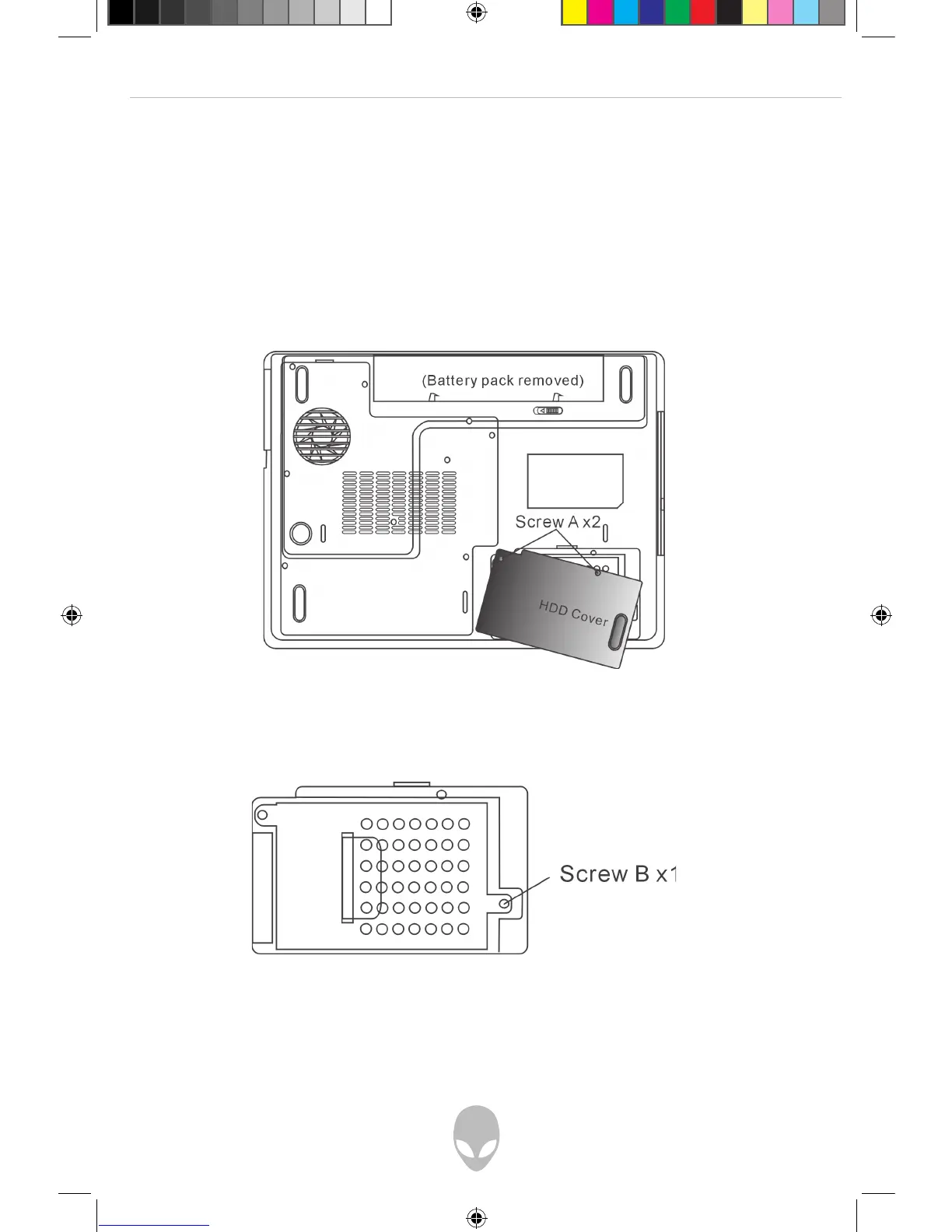
3. Locate and remove 2 Screw A’s.
4. Remove HDD Cover.
5. Locate and remove 1 Screw B.















 To Next Page