Alienware Area-51 m5550 Technical Reference
59
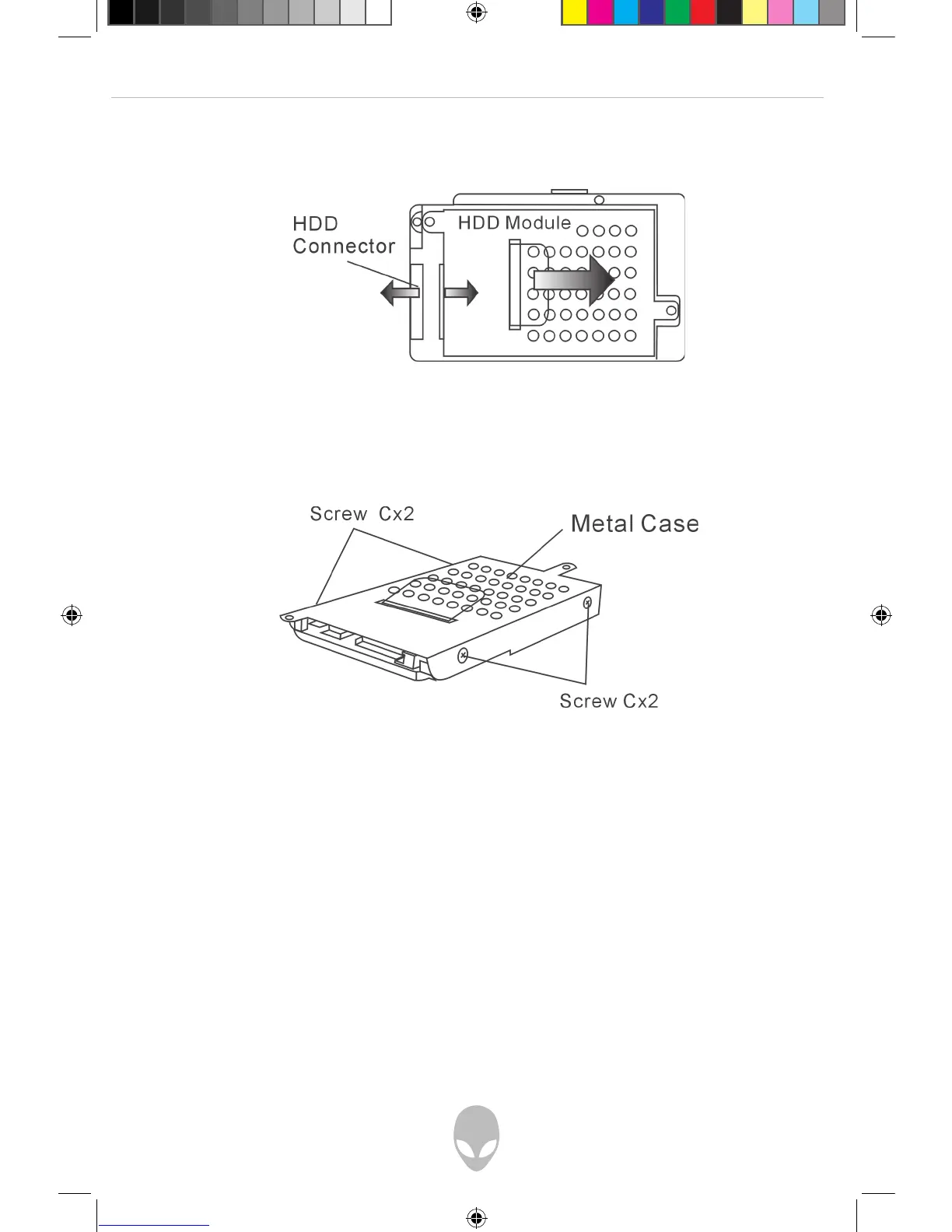
6. Push the HDD module to the right and separate it from the connector. Lift
the module away from the bay.
7. Locate and remove 4 Screw C’s from the HDD module. Remove the metal case.
8. Re-attach the metal cover to the new hard drive and tighten 4 Screw C’s.
Note the green PC board of the hard disk drive is facing against the
metal case.
9. Re-attach the HDD module to the HDD connector and re-attach 1 Screw B.
10. Put the HDD cover back and re-attach 2 Screw A’s.
Congratulations! You have now completed the hard drive upgrade. When you boot up
the PC, you may need to create a primary HDD partition, reformat the new drive and
re-install the O/S, drivers, and all the necessary applications.















 To Next Page