How to Use the Remote, Watch TV and Record Video Clips
The following is a brief guide.
n You need to install the card’s driver and recording
application from PixelView’s installation CD-ROM disk.
n You need to install a utility program called TV Card or
PixelView in order to use the card’s function.
n Connect a video source, cable, or antenna to the TV
Tuner Module.
n The TV Tuner Module is either NTSC or PAL compliant.
n The recorded video clip is in .AVI format.
n For more detail description of the TV functions, please
consult the program’s built-in on-line Help manual.
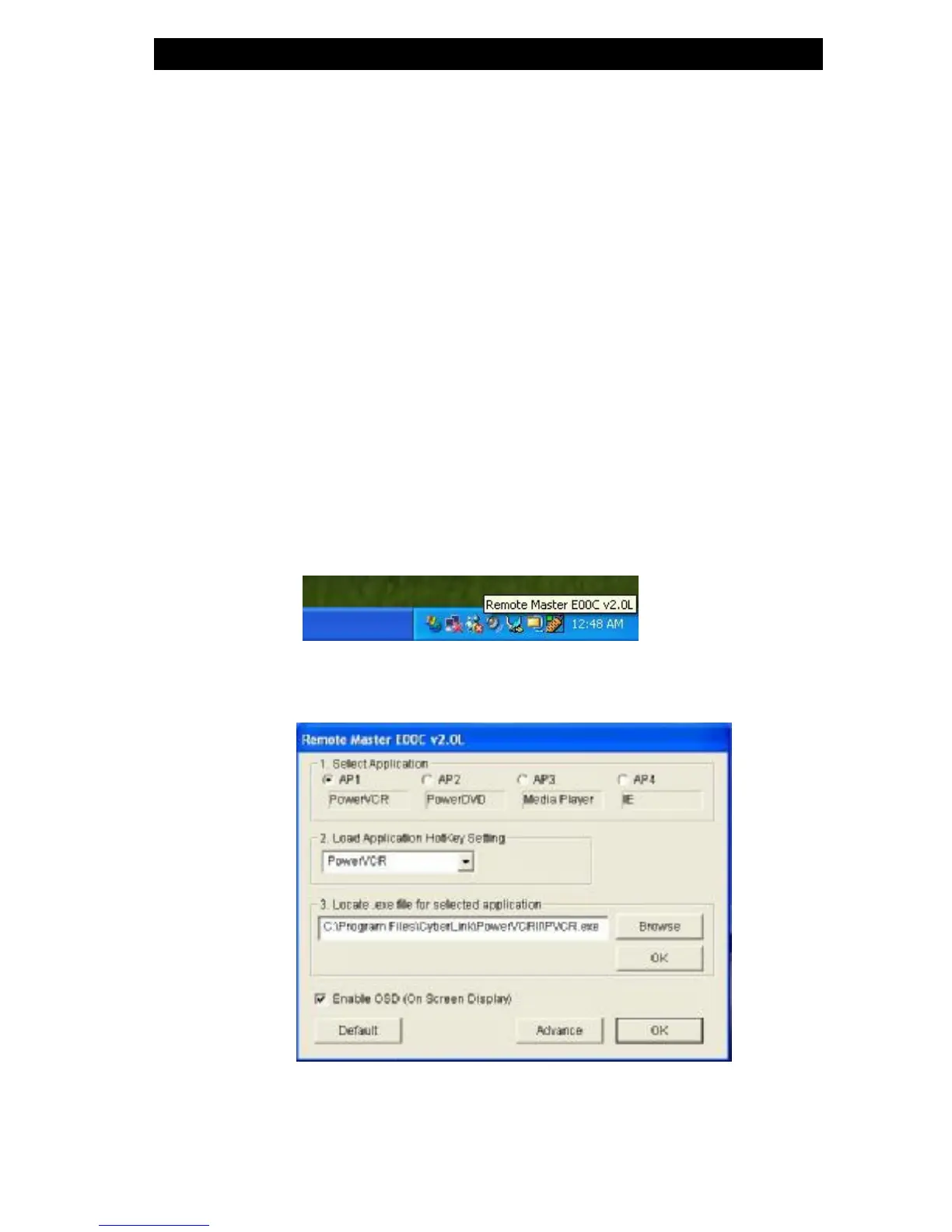
n When the remote control driver is properly, the Remote
Master icon will reside on the task bar. See below.
n You may program the keys on the Remote by double-click
the Remote Master icon. See below.














 To Next Page