Identifier GUID-9CE3DBCE-991F-4FD9-A0C5-F0D96AF1B126
Status In Translation
Replacing the solid-state drives
AVVERTENZA: Prima di eettuare interventi sui componenti interni del computer, leggere le informazioni sulla
sicurezza fornite con il computer e seguire la procedura in Prima degli interventi sui componenti interni del
computer. Dopo gli interventi sui componenti interni del computer, seguire le istruzioni descritte in Dopo gli
interventi sui componenti interni del computer. Per maggiori informazioni sulle procedure consigliate relative alla
sicurezza, consultare la home page Conformità alle normative su www.dell.com/regulatory_compliance.
ATTENZIONE: Le unità a stato solido sono estremamente delicate. e vanno maneggiate con cura.
Identifier GUID-1CB60E47-3A09-494B-AD2E-2D3D2D856BB6
Status In Translation
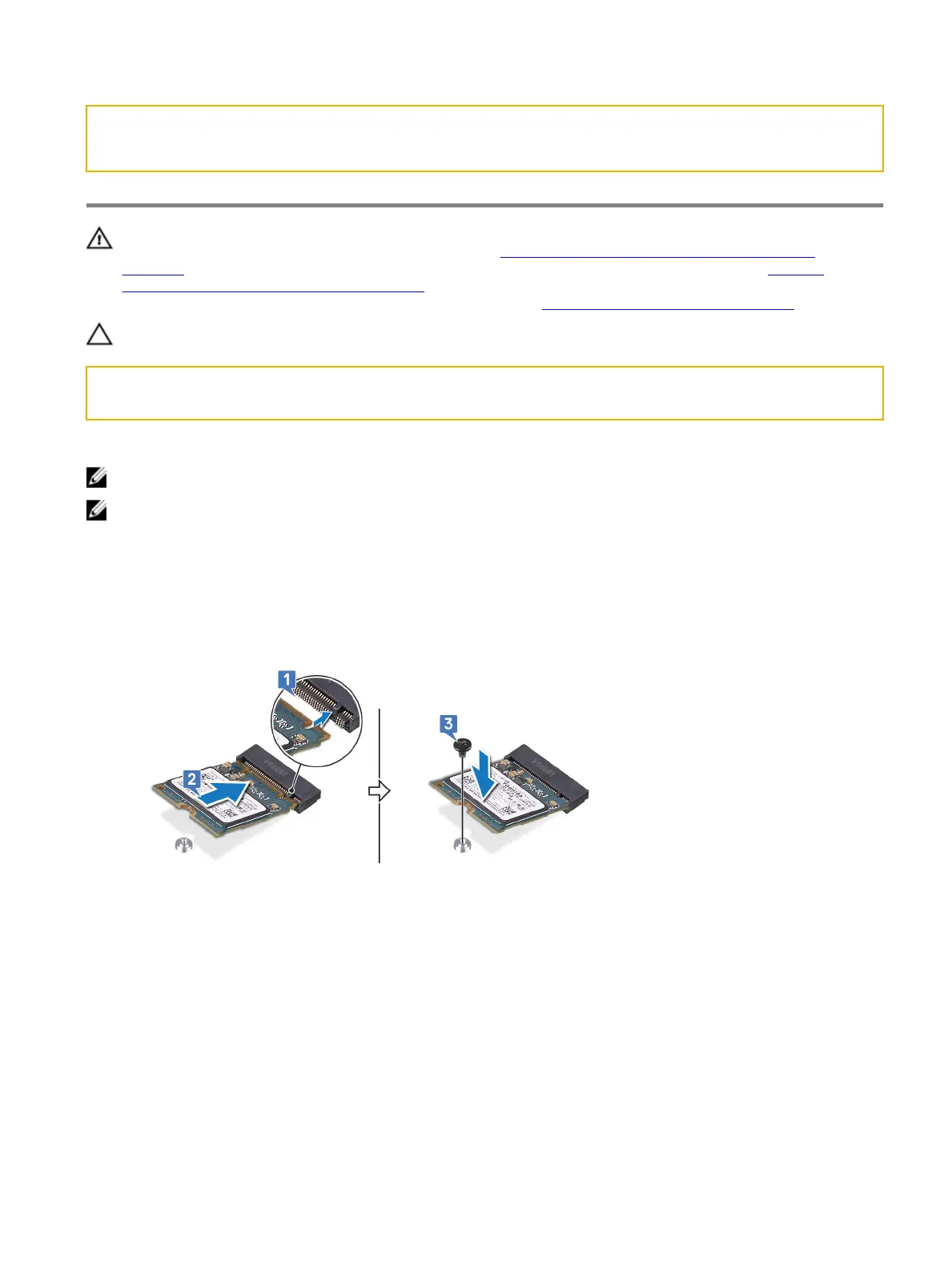
Procedure to replace M.2 2230 card
N.B.: This procedure applies only to computers shipped with a M.2 2230 card installed.
N.B.: Depending on the conguration ordered the computer may have up to two M.2 cards installed. Supported card
congurations per M.2 card slot:
• M.2 2230 solid-state drive
• M.2 2280 solid-state drive/Intel Optane storage
1 Align the notch on the M.2 2230 solid-state drive with the tab on the M.2 solid-state drive slot on the system board.
2 Slide the M.2 2230 solid-state drive into the M.2 solid-state drive slot on the system board.
3 Replace the screw (M2x3) that secures the M.2 2230 solid-state drive to the palm-rest assembly.
4 Align the screw holes of the M.2 thermal shield with the screw holes on the palm-rest assembly and system board.
33















 To Next Page