If you do not detect any screen abnormalities upon using the built-in diagnostic tool, the monitor
is functioning properly. Check the video card and computer.
Assembling the Cable Cover
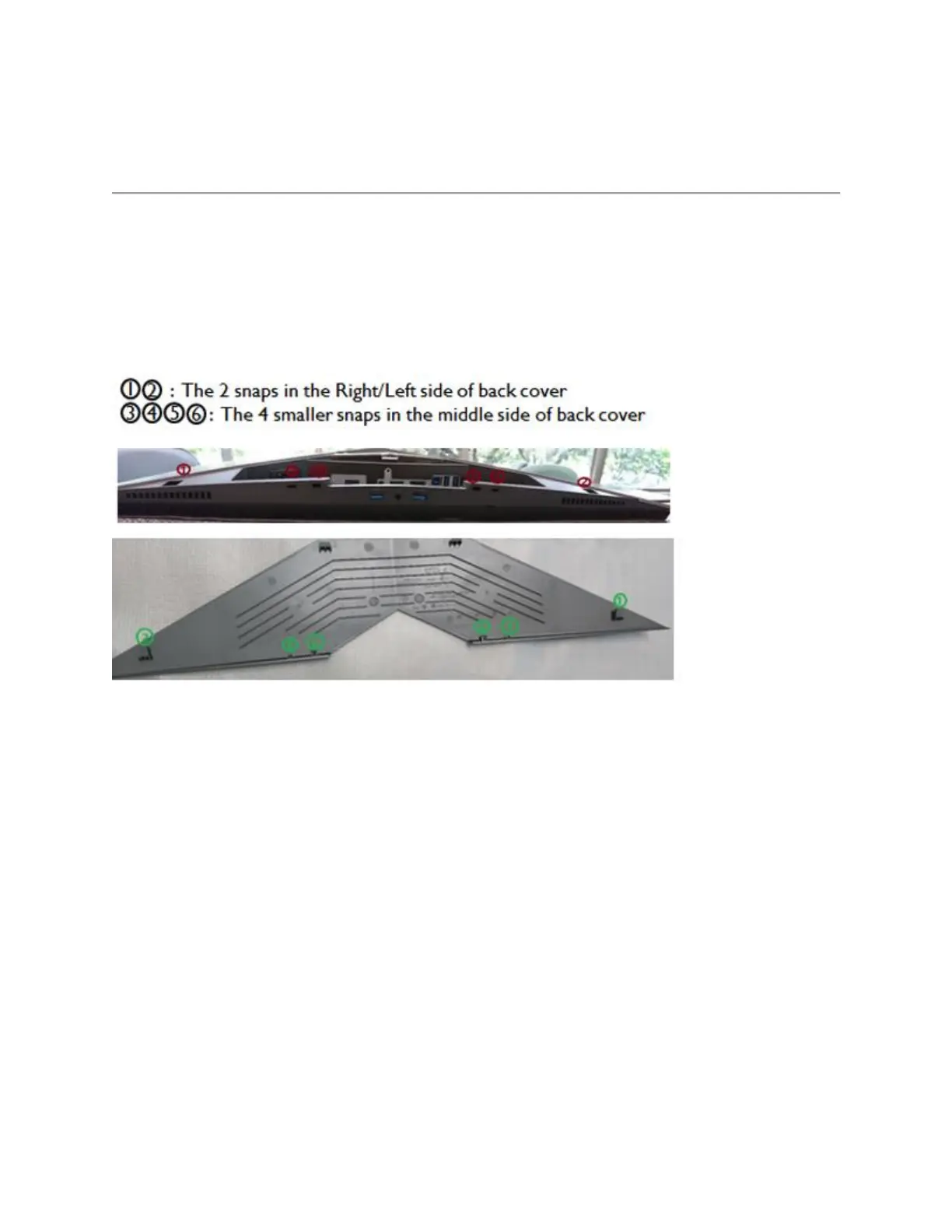
AW2518H has a cable cover to assemble with the back cover of monitor. If you want to
assemble cable cover, please slide the cable cover till it snaps into place.
NOTE: Please check the 6 position of monitor back cover and cable cover
Figure 9. - Cable Cover.
To assemble cable cover with the back cover of monitor:
1. Positioning the Right/Left snaps
2. Slide the cable cover till it snaps into place
3. Press down the cable cover and let the middle snaps hook up with the holes
4. Make sure all snaps is into place and no significant gap between cable cover and back
cover (Figure 10.).















 To Next Page