About your monitor | 11
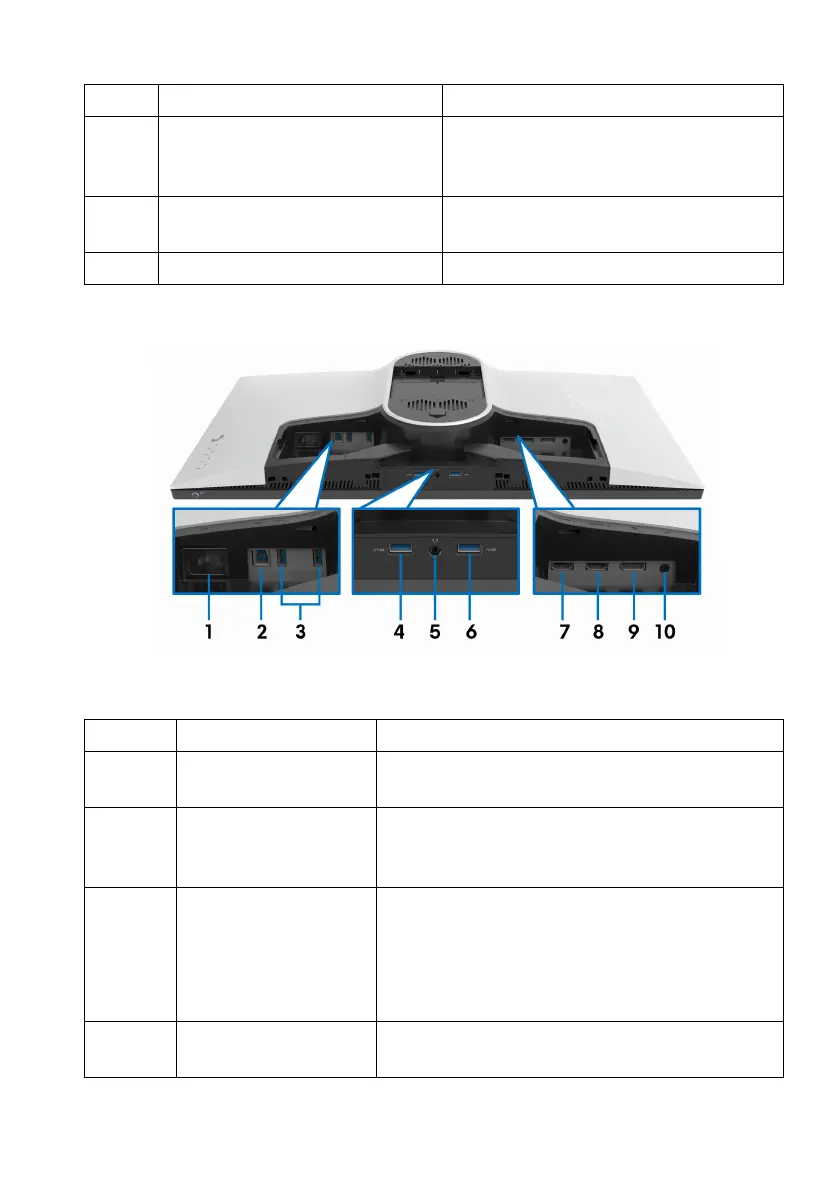
Rear and bottom view
Rear and bottom view without monitor stand
7 Regulatory label Lists the regulatory approvals.
8 Lighting dock connector When the stand riser is attached to the
m
onitor, the dock supplies power to
the light on the stand.
9 Cable-management slot (at the
back of
the stand)
To organize cables by routing them
through this slot.
10 I/O cover Protects the I/O ports.
Label Description Use
1 Power connector Connect the power cable (shipped with your
moni
tor).
2 USB upstream port Connect the USB cable (s
hipped with your
monitor) to this port and your computer to
enable the USB ports on your monitor.
3, 6 USB downstream
ports
(3)
Connect your USB device.*
NOTE: To
use these ports, you must connect
the USB cable (shipped with your monitor) to
the USB-upstream port on the monitor and to
your computer.
4 USB downstream port
wi
th Power Charging
Connect to charge your USB device.















 To Next Page