Setting up the monitor | 29
2. Connect
the other end of the USB 3.0 upstream cable to an appropriate
USB 3.0 port on your computer.
3. Conne
ct the USB 3.0 peripherals to the USB 3.0 downstream ports on the
monitor.
4. Pl
ug the power cables for your computer and monitor into a wall outlet.
5. Tur
n on the monitor and the computer.
If your monitor displays an image, installation is complete. If it does not
di
splay an image, see Common problems.
Removing the monitor stand
NOTE: To prevent scratches on the display when removing the stand,
ensure that the monitor is placed on a soft, clean surface.
NOTE: The following instructions are applicable only for attaching the
stand that was shipped with your monitor. If you are attaching a stand
that you purchased from any other source, follow the set up instructions
that were included with the stand.
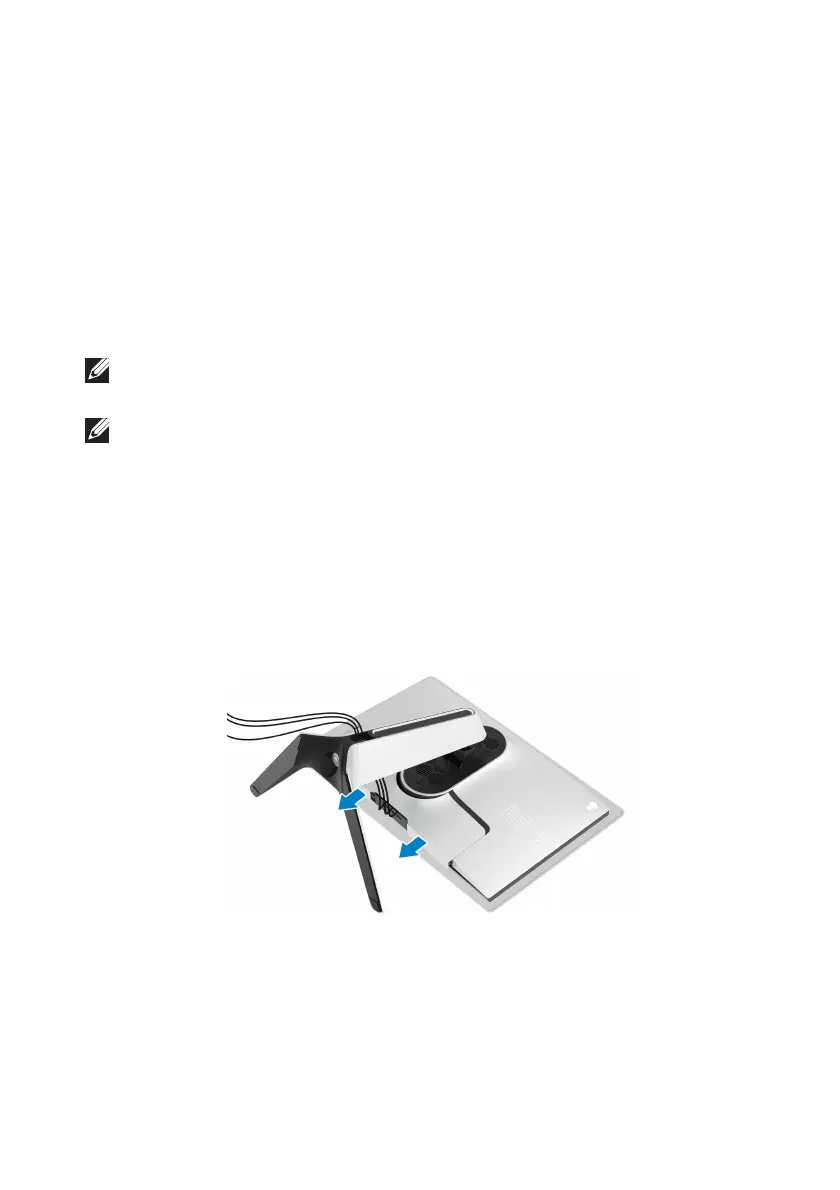
To remove the stand:
1. Turn off the monitor.
2. D
isconnect the cables from the computer.
3. Pl
ace the monitor on a soft cloth or cushion.
4. C
arefully slide and remove the I/O cover from the monitor.















 To Next Page