CHAPTER 4: INSTALLING AND REPLACING COMPONENTS
80
1
2
3
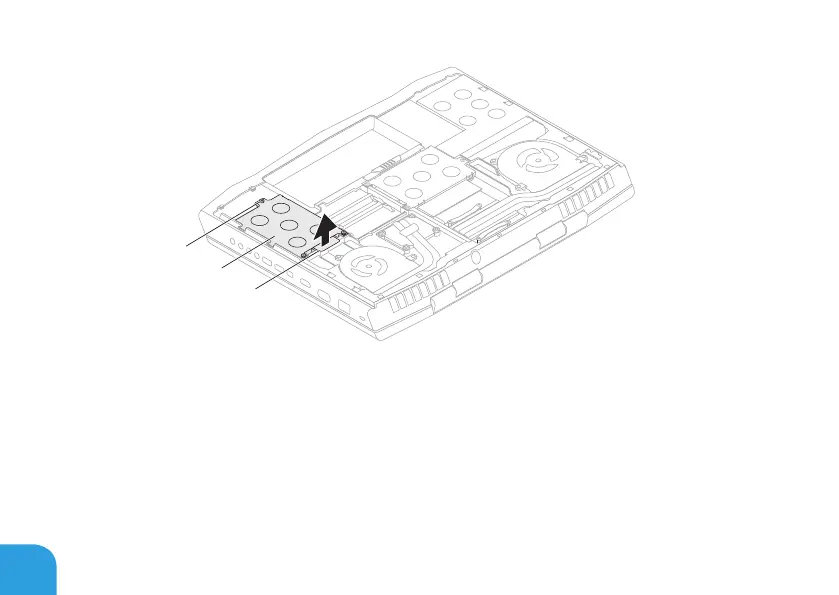
1 pull tab 3 captive screws (3)
2 primary hard-drive
assembly
8. Loosen the three captive screws on the secondary hard‑drive assembly (HDD1).
9. Using the pull tab, lift the secondary hard‑drive assembly (HDD1) to disconnect it from
the connector on the system board.
10. Lift the secondary hard‑drive assembly out of the computer base.















 To Next Page