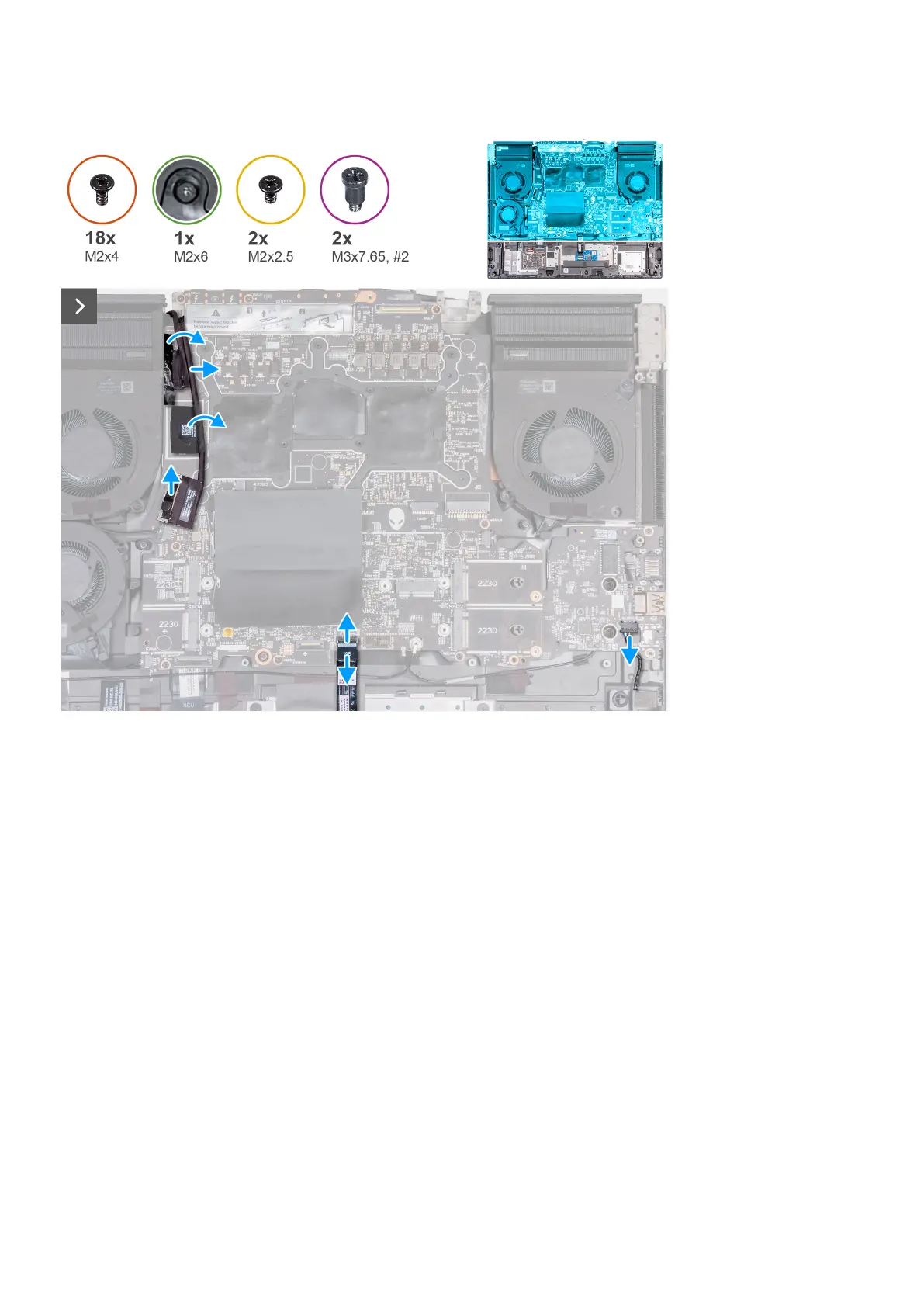
The following image(s) indicate the location of the system board and provides a visual representation of the removal procedure.
Steps
1. Peel the tape that secures the rear I/O board cable to the system board.
2. Disconnect the rear I/O board cable from the system board.
3. Peel the tape that secures the camera cable to the system board.
4. Open the latch and disconnect the camera cable from the system board.
5. Open the latch and disconnect the touchpad cable from the system board.
54












 To Next Page