R0368
Cod.R0368‐rev.1.0
(03/2020)
Page 4/14
3 ASSOCIATIONOFDETECTORSTOTHESERVICEPC
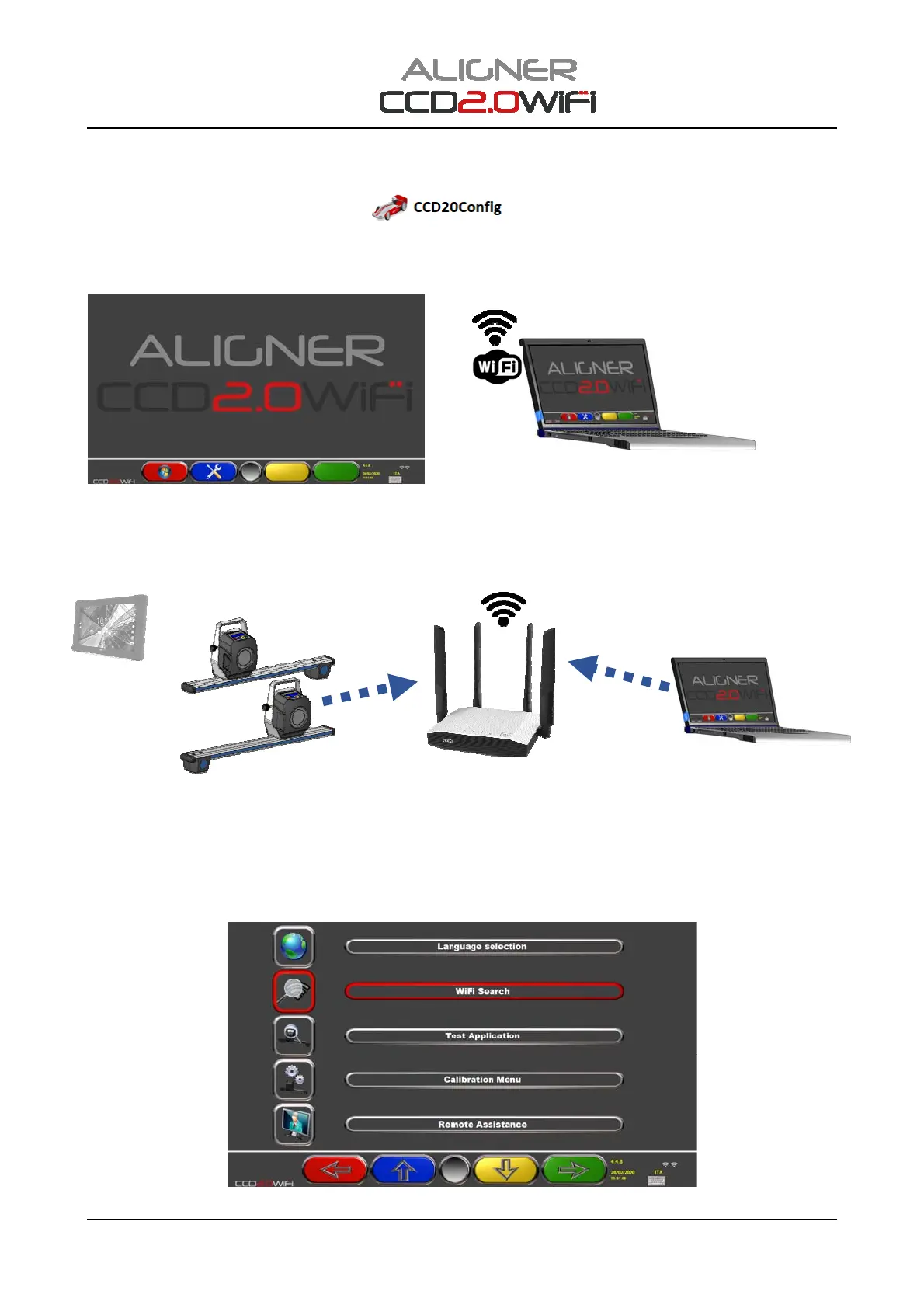
To perform the configuration and calibration of the CCD2.0WiFi detectors,aPC(*)mustbeusedif
necessary,withtheserviceSWinstalled
.
TheCCD20ConfigserviceSWcanbedownloadedfromthemanufacturer'ssupportsite.
(*)APCwithS.O.isrequiredWin7orWin10withcommon802.11b/g/nWLANWirelessNetworkcard
Figure5
FirstlyconnecttheservicePCtothe"connect"Wi‐FinetworkoftheCCD2.0WiFisystem,whichisgenerated
by the Access Point supplied with the equipment, to which the frontdetectorsandtheTabletarealso
connected.
Figure6
AfterthePCandthedetectorshavebeenswitchedonandconnected to the “connect” network, it is
necessaryto“associate”thedetectorswiththeservicePC,followingtheproceduredescribedbelow.
PressF2fromthehomepage,theFigure7pageappears,thenselect"WIFIsearch”
Figure7
AccessPointWifiSSID=connect
Password=123connect
theTabletmust
notbeused
Onpower‐upthedetectors
automaticallyconnecttothe


 To Next Page