R0368
Cod.R0368‐rev.1.0
(03/2020)
Page 6/14
4 THE"connect"WIFINETWORK
4.1 DescriptionandConfiguration
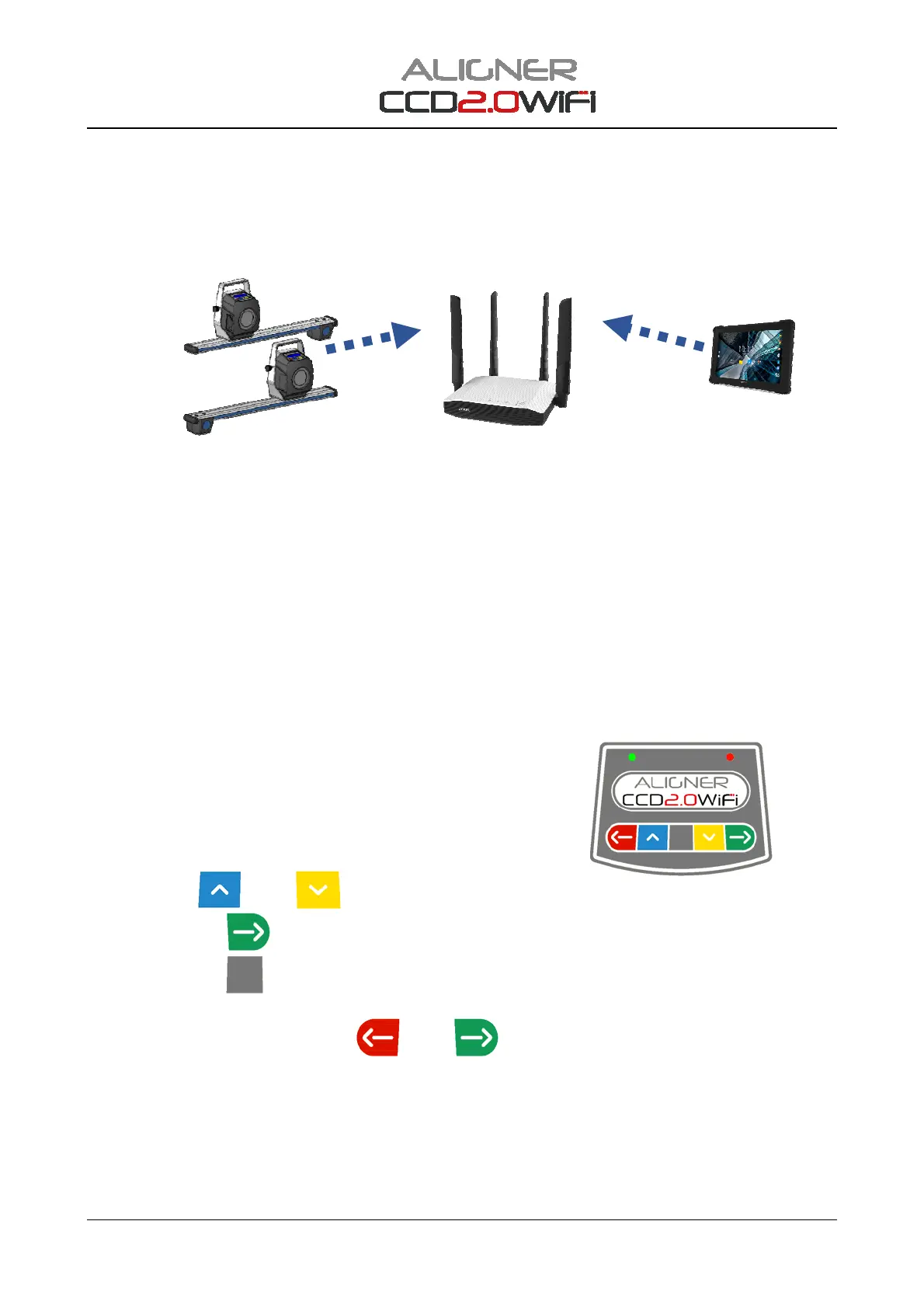
TheWiFinetworkoftheCCD2.0WiFiset‐upessentiallyconsistsofthe2frontdetectorsconnectedtothe
"connect"SSIDgeneratedbytheaccesspointandthetabletalsoconnectedtothe"connect"SSID.
Figure10
Itis possible to connecttheDetectorsand the Tablet to adifferent SSID,usefulifforexample there are
multipleCCD2.0WiFisettingsinthesameroom.
TochangethenameoftheSSIDontheAccessPoint,refertothe instructions provided by the
manufacturer.
TosetthefrontdetectorssothattheyautomaticallyconnecttothedifferentSSID,itisnecessaryto
proceedasfollows:
‐ InitialisethedetectorswiththeResetprocedure‐seechap.4.2
‐ ConfigurethechosenSSIDonthedetectors‐seechap.4.3
4.2 InitialisationofthefrontWIFIdetectors
To initially set up the “CCD‐WIFI” front detectors (Reset WIFI
procedure), operations must be carried out manually usingthe
appropriatekeypad.
The operations to be performed are illustrated in sequence
below:
- PresstheF2
andF3 keyssimultaneously
- PresstheF4key
3times;theredLEDinthisphaseflashes.
- PresstheF5key
toconfirm,waitafewsecondsforResetoftheWIFImodule;duringthisphase
theredLEDflashesfaster,attheendtheLEDstaysonpermanently.
- SwitchoffthedetectorwiththeF1
andF4 keys.
SSID=connect


 To Next Page