2. Programmed Key
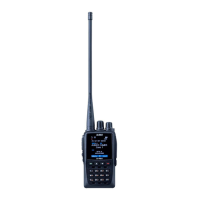
There are two programmable keys ([PF1], [PF2]) at the right side of radio. it can be
assigned functions by manually set in radio or set by PC software.
Manually set by radio: Press ( MENU) key then move cursor to setting Radio
Set move to Menu set 33-36 select the [PF1] or [PF2] then assign functions, there
are 2 definition of assigning a key, short press and long press.
Set by PC software: Open software, go to Public Optional Key function then
select the desired functions. Assigned different functions are listed in the list below.
3. Default function
The table below shows the functions as default functions were assigned to
programmable keys.
4. Hot Key
In PC software Public Hot key, it is able to set different functions for hot key
~ and the combine (MENU)+ number key. For details please refer to the
PC software.


 To Next Page