Allflex NX Series Operational Manual
Page 12 of 14
7.0 RM4/SYNC MODULE DIAGNOSTICS
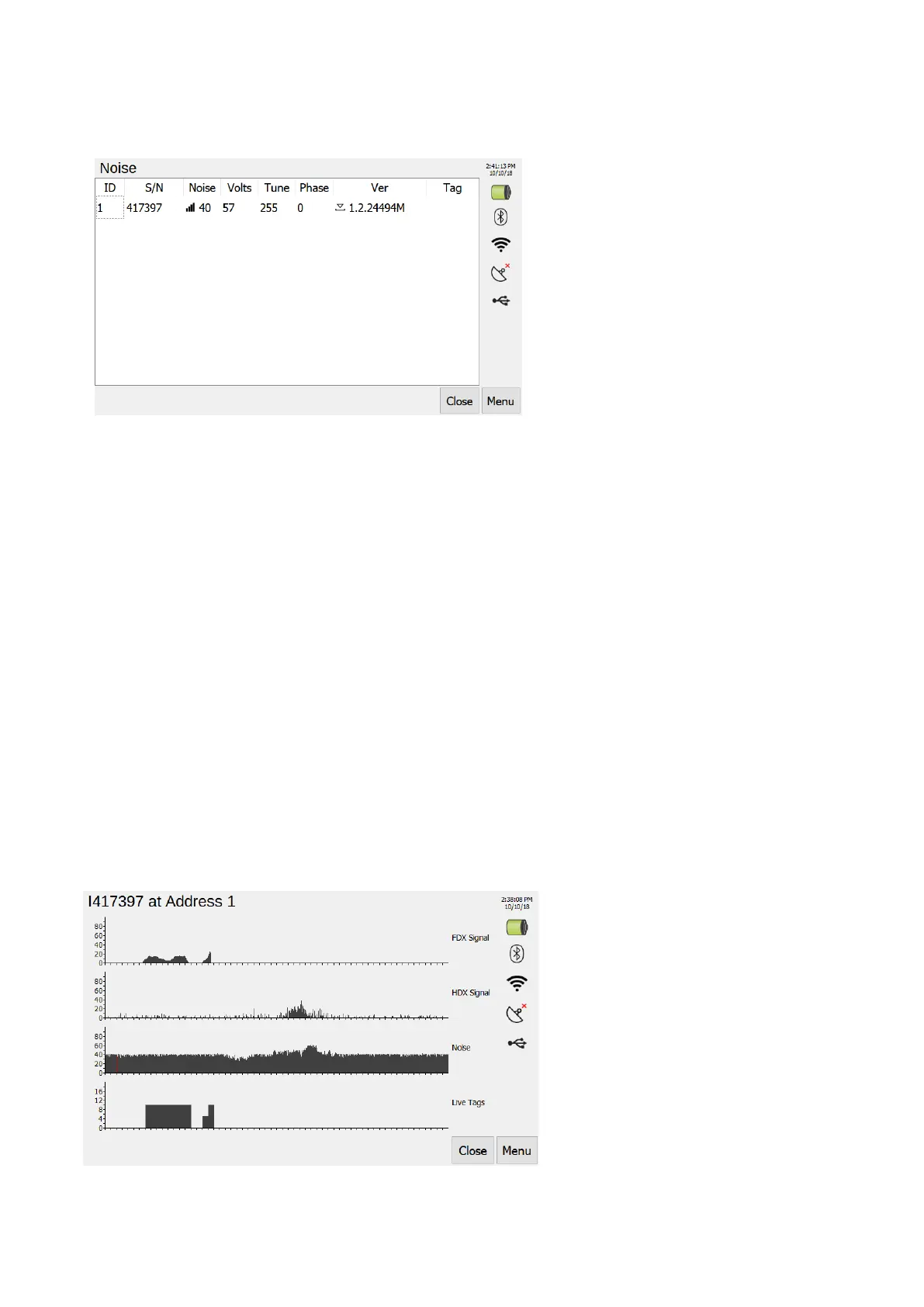
Open RM4/Sync module diagnostics, image below, through Menu --> Tools --> Noise.
7.1 Locating RM4s
By pressing the ID value for a RM4, you will send a find command to the associated device. This
will cause a green LED to flash allowing you to see which devices are where in your system. Press
the ID value again to stop the flashing.
7.2 Opening RM4/Sync Module settings
To open device setting you can press the Serial Number (S/N) value of a device. These settings are
pin protected to prevent systems being configured incorrectly. Please contact a sales representative
for the pin to access settings.
7.3 RM4 Tune and Phase
You can change the tune and phase values of an RM4 by pressing on there values.
7.4 RM4 update page
You can also access the RM4 update page through the config screen by pressing on a devices
version number (Ver).
7.5 Real time diagnostics
To view real time noise, signal strength and tag reads data you can press on noise value on the
diagnostics screen. This will open real time graphs, see image below, for the device you pressed.
Not each mark on the x-axis represents one second.



 To Next Page