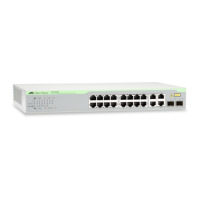
CentreCOM GS970M Series Quick Installation Guide 5
Beginning the Installation
Reviewing Safety Precautions
Review the following safety precautions before installing the product.
Note: The symbol indicates that a translation of the safety
statement is available in the PDF document “Translated Safety
Statements” on the Allied Telesis website at
www.alliedtelesis.com/us/en/documents/translated-safety-
statements.
Warning: Class 1 Laser product.
L1
Warning: Do not stare into the laser beam.
L2
Warning: Power cord is used as a disconnection device.
To de-energize equipment, disconnect the power cord.
E3
Warning: To prevent electric shock, do not remove the
cover. No user-serviceable parts inside. This unit
contains hazardous voltages and should only be opened
by a trained and qualified technician. To avoid the
possibility of electric shock, disconnect electric power to
the product before connecting or disconnecting the
cables.
E1
Warning: Class I Equipment. This equipment must be
earthed. The power plug must be connected to a
properly wired earth ground socket outlet. An improperly
wired socket outlet could place hazardous voltages on
accessible metal parts.
E4
Warning: The device is heavy. Always ask for
assistance before moving or lifting it to avoid injuring
yourself or damaging the equipment. E122



 To Next Page
 Loading...