507176-01
Page 12
service info:
set
cancel
1 day
1 week
1 month
3 months
custom
9:39 am May 23, 2013
Wi-Fi
service info:
remind
later
alerts ( 1) of ( 1)
9:39 am May 23, 2013
Service Alert Code 3000
system reports:
Replace Filter 1
service info:
noyes
was action taken?
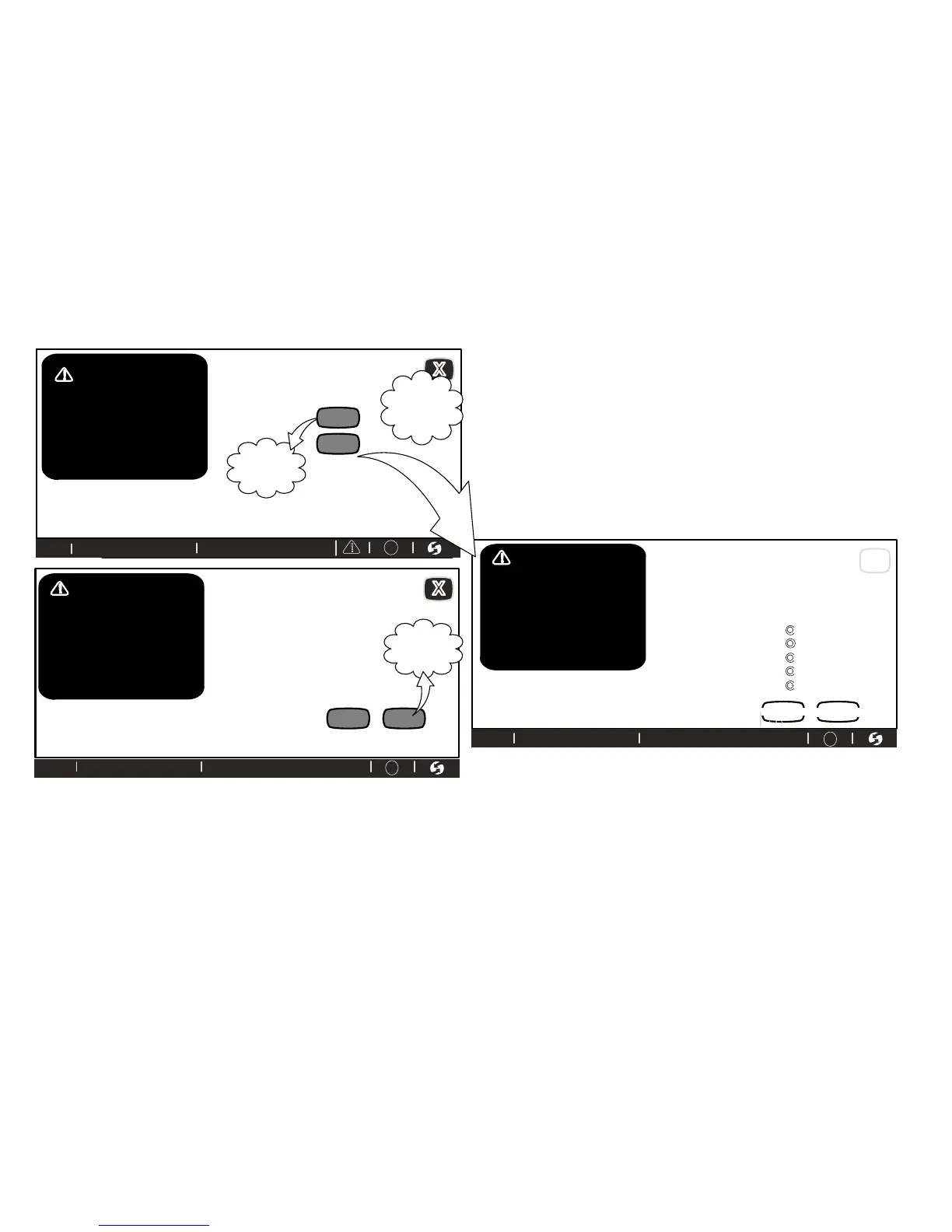
If you have performed the required maintenance, choose clear to clear the
reminder. This will prompt the question, “was action taken?” If the answer is
yes, you will be asked to set the next reminder period for this service alert.
USING REMIND LATER
If you choose remind later, a new screen will appear. Select the desired re
minder period from the list provided. Touch the set button after you have
made your selection. This will trigger the ALERT HISTORY screen. Touch X
to return to the Home screen.
Choose custom to open the REMINDER screen, which includes a calendar
(figure 15). Select a date for the reminder to reappear. When desired remind
er time is displayed, touch set.
Service reminders can be cleared or the date can be revised by using the service alert's clear and remind later buttons on the right side of the screen.
(goes to
screen
below)
(returns to
above
screen)
“X”
clears alert
temporarily;
alert will
repeat
9:39 am May 23, 2013
Wi-Fi
9:39 am May 23, 2013
Wi-Fi
clear
?
?
?
alerts ( 1) of ( 1)
9:39 am May 23, 2013
Service Alert Code 3000
system reports:
Replace Filter 1
alerts ( 1) of ( 1)
9:39 am May 23, 2013
Service Alert Code 3000
system reports:
Replace Filter 1
Figure 16. Viewing, Clearing and Changing Reminder Time


 To Next Page