EasyManua.ls Logo

Allied Comfort Sync - User Manual

Allied Comfort Sync
24 pages
Print Icon
To Next Page IconTo Next Page
Loading...
© 2016
ALLIED AIR ENTERPRISES
215 METROPOLITAN DR.
WEST COLUMBIA, SC 29170
indoor temperature
indoor humidity is 41%
cool-to
set temp
75
heat to
72
spring ...
program
is on
outdoor
temperature
80
system is cooling
forecast
Hi 85
Lo 60
9:39 am May 23, 2013
Wi-Fi
enter
away
?
fan is
OFF
fan is
AUTO
THIS MANUAL MUST BE LEFT WITH THE HOMEOWNER
FOR FUTURE REFERENCE
NOTICE
Use this thermostat only as described in this manual.
HOMEOWNER'S MANUAL
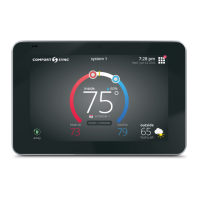
Comfort Sync™ Thermostat
Touch-Screen Programmable Communicating Thermostat
CONTROLS
507176-01
6/2016
Supersedes 10/2014
General
Congratulations on choosing the Comfort Sync™ touch-screen,
programmable thermostat! The state-of-the-art technology built into this
device makes it easy for you to adjust your home's comfort settings while at
home or from a remote location (via Internet access)!
Help screens are just a touch away. Use this manual as an introduction to a
whole new world of home comfort.
WARNING
Do not switch system to cool if the outdoor temperature is below 45°F
(7°C). This can damage the cooling system.

Questions and Answers

Summary

Comfort Sync Thermostat

General

Introduces the Comfort Sync™ touch-screen thermostat and its benefits.

Controls

Lists control model and supersedes dates for the thermostat.

Thermostat Lock-Out

Locking;Unlocking Screen

Explains how to lock and unlock the thermostat's touch screen interface.

Start-Up and Home Screen

Home Screen Information

Explains what the Comfort Sync™ thermostat's Home screen displays and its components.

Home Screen Capabilities

Details actions that can be performed directly from the thermostat's Home screen.

User Preference Quick Reference Chart

Settings Overview

Provides a quick reference for user settings, feature buttons, defaults, and available options.

User Features and Help

Edit Programs

Guides users on how to create and customize daily heating and cooling programs.

System Settings

Humidification and Dehumidification Adjustment

Details how to configure humidification and dehumidification settings for comfort.

Display Settings

Customizing Display Options

Details how to customize display options like background theme, screen saver, and language.

Alerts

Accessing Alerts

Explains how to view alerts through the Features screen and select time periods for viewing.

Service Alert Codes

Service Alert Code Descriptions

Lists various service alert codes and their corresponding system issues or maintenance needs.

Setting Reminders

Custom Time Reminder

Details how to set custom dates and times for maintenance reminders to appear.

Service Information

Dealer and System Information

Provides instructions on how to view and change dealer and system service information.

Help (?)

Using Help Icons

Explains how to access and use the "?" help icons for on-screen assistance.

Adjusting Temperature, Modes, and Programs

Adjusting Temperature (Programming OFF)

Guides on setting temperature manually when the thermostat is not running a program.

Away Mode (Vacation)

Explains how to set the thermostat for energy-saving operation when away from home.

Turning Programming ON;OFF

Details the process of enabling or disabling programmed schedules on the thermostat.

Managing Program Holds

Adjusting Temperature (Program ON)

Describes how to adjust temperature settings while a program is active.

Program Hold Options

Explains various options for holding a temperature setting for a specified duration.

Clock Settings

Setting Time and Date

Guides on setting the current time, date, and daylight saving options on the thermostat.

Weather Display

Viewing Weather Forecast

Explains how to view the 5-day weather forecast on the thermostat.

Setting Humidity Controls

Humidification and Dehumidification Adjustment

Details how to configure humidification and dehumidification settings for comfort.

Connecting to Wi-Fi

Enabling Wi-Fi Feature

Step-by-step guide to turn on the Wi-Fi feature on the thermostat.

Establishing Wi-Fi Connection

Instructions for connecting the thermostat to available home Wi-Fi networks.

Wi-Fi Connection Details

Connecting to Hidden Networks

Explains the process for connecting to a Wi-Fi network that is not broadcasting its SSID.

Troubleshooting Wi-Fi and Server Connections

Understanding Wi-Fi Protocols and Interference

Defines Wi-Fi terms and lists common sources of electromagnetic interference.

Checking Router Signal Strength (RSSI)

Details how to check and interpret the Wi-Fi signal strength on the thermostat.

Troubleshooting Connection Issues

Verifying Signal Strength

Explains how to verify and interpret Wi-Fi signal strength readings.

Rebooting Thermostat for Server Connection

Provides steps to reboot the thermostat when server connection issues arise.

Registering the Thermostat

Registering Email Address

Guides on how to register the thermostat using an email address from the device.

Completing Thermostat Registration

Registration via Home Computer

Instructs users on how to complete the registration process using a home computer and email.

Using the Secure Web Portal

Web Portal Access

Explains how to access thermostat features and settings via the secure online web portal.

Screen-Saver Settings

Enabling Screen-Saver

Details how to turn the screen-saver feature on or off on the thermostat.

Summary

Comfort Sync Thermostat

General

Introduces the Comfort Sync™ touch-screen thermostat and its benefits.

Controls

Lists control model and supersedes dates for the thermostat.

Thermostat Lock-Out

Locking;Unlocking Screen

Explains how to lock and unlock the thermostat's touch screen interface.

Start-Up and Home Screen

Home Screen Information

Explains what the Comfort Sync™ thermostat's Home screen displays and its components.

Home Screen Capabilities

Details actions that can be performed directly from the thermostat's Home screen.

User Preference Quick Reference Chart

Settings Overview

Provides a quick reference for user settings, feature buttons, defaults, and available options.

User Features and Help

Edit Programs

Guides users on how to create and customize daily heating and cooling programs.

System Settings

Humidification and Dehumidification Adjustment

Details how to configure humidification and dehumidification settings for comfort.

Display Settings

Customizing Display Options

Details how to customize display options like background theme, screen saver, and language.

Alerts

Accessing Alerts

Explains how to view alerts through the Features screen and select time periods for viewing.

Service Alert Codes

Service Alert Code Descriptions

Lists various service alert codes and their corresponding system issues or maintenance needs.

Setting Reminders

Custom Time Reminder

Details how to set custom dates and times for maintenance reminders to appear.

Service Information

Dealer and System Information

Provides instructions on how to view and change dealer and system service information.

Help (?)

Using Help Icons

Explains how to access and use the "?" help icons for on-screen assistance.

Adjusting Temperature, Modes, and Programs

Adjusting Temperature (Programming OFF)

Guides on setting temperature manually when the thermostat is not running a program.

Away Mode (Vacation)

Explains how to set the thermostat for energy-saving operation when away from home.

Turning Programming ON;OFF

Details the process of enabling or disabling programmed schedules on the thermostat.

Managing Program Holds

Adjusting Temperature (Program ON)

Describes how to adjust temperature settings while a program is active.

Program Hold Options

Explains various options for holding a temperature setting for a specified duration.

Clock Settings

Setting Time and Date

Guides on setting the current time, date, and daylight saving options on the thermostat.

Weather Display

Viewing Weather Forecast

Explains how to view the 5-day weather forecast on the thermostat.

Setting Humidity Controls

Humidification and Dehumidification Adjustment

Details how to configure humidification and dehumidification settings for comfort.

Connecting to Wi-Fi

Enabling Wi-Fi Feature

Step-by-step guide to turn on the Wi-Fi feature on the thermostat.

Establishing Wi-Fi Connection

Instructions for connecting the thermostat to available home Wi-Fi networks.

Wi-Fi Connection Details

Connecting to Hidden Networks

Explains the process for connecting to a Wi-Fi network that is not broadcasting its SSID.

Troubleshooting Wi-Fi and Server Connections

Understanding Wi-Fi Protocols and Interference

Defines Wi-Fi terms and lists common sources of electromagnetic interference.

Checking Router Signal Strength (RSSI)

Details how to check and interpret the Wi-Fi signal strength on the thermostat.

Troubleshooting Connection Issues

Verifying Signal Strength

Explains how to verify and interpret Wi-Fi signal strength readings.

Rebooting Thermostat for Server Connection

Provides steps to reboot the thermostat when server connection issues arise.

Registering the Thermostat

Registering Email Address

Guides on how to register the thermostat using an email address from the device.

Completing Thermostat Registration

Registration via Home Computer

Instructs users on how to complete the registration process using a home computer and email.

Using the Secure Web Portal

Web Portal Access

Explains how to access thermostat features and settings via the secure online web portal.

Screen-Saver Settings

Enabling Screen-Saver

Details how to turn the screen-saver feature on or off on the thermostat.

Allied Comfort Sync Specifications

General IconGeneral
BrandAllied
ModelComfort Sync
CategoryThermostat
LanguageEnglish