Comfort Sync™ 7-Day Programmable Communicating Thermostat
Page 19
Open a connection which which requires no password.
Secure a connection requires Wi-Fi password (security key).
Add a network is required when the Wi-Fi identification (SSID)
is being hidden (not broadcasting). You must know the Wi-Fi
network name (SSID), security encryption type (if enabled), and
security password (if security encryption is enabled).
BS345
DS9
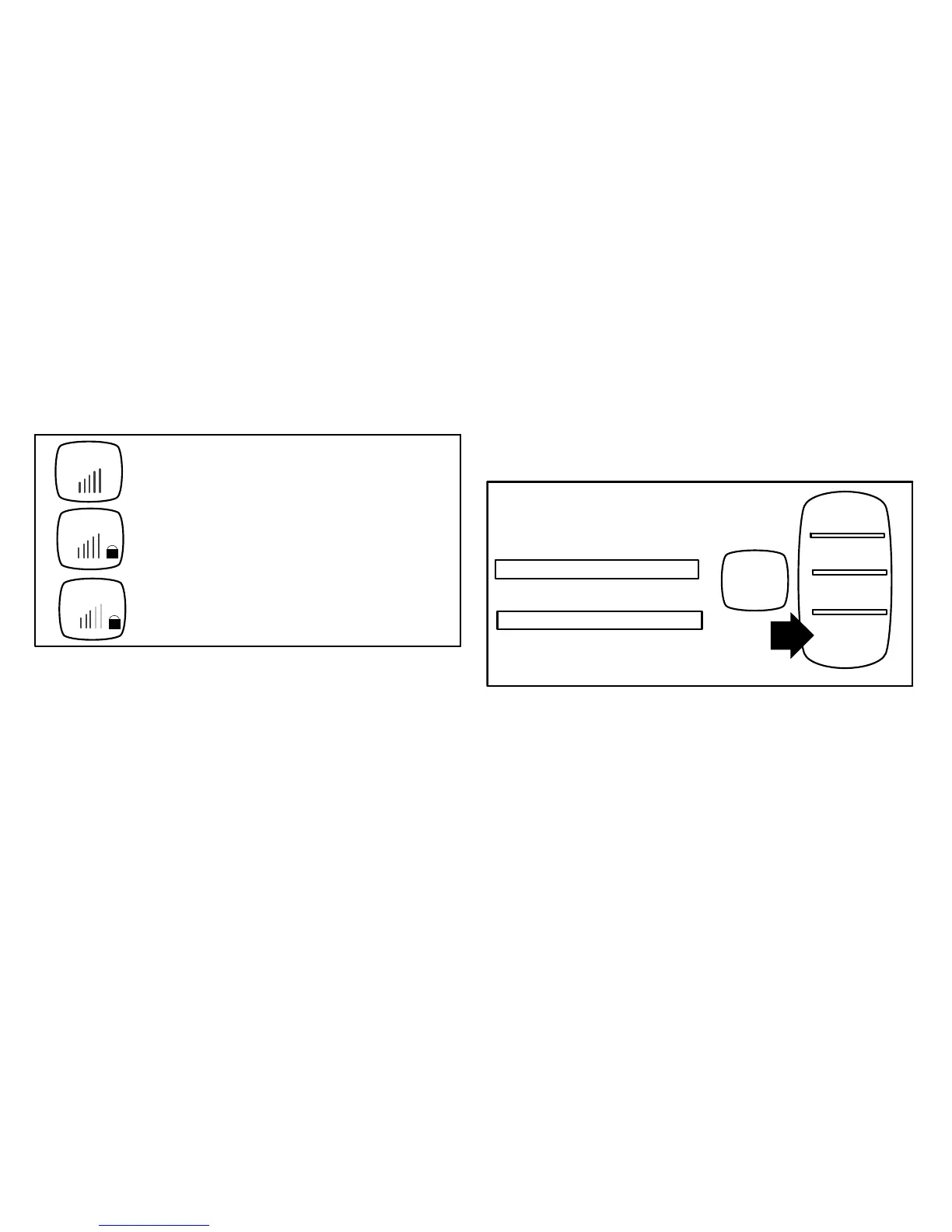
Open connection (no password required)
Secure connection
(lock icon is present, a password is required)
BSG
Signal strength. For best results, the higher the bar
levels, the more reliable a connection.
Figure 31. Typical Connection Type and Signal Strength
2. When selecting:
an unsecured connection, a screen will appear. Touch connect
to continue.
a secured connection, a screen will appear requesting the Wi-Fi
network password (access key). Use the on-screen keyboard to
enter the password, then touch connect to continue.
NOTE - AP info provides information concerning the home Wi-fi
connection (i.e, RSSI, IP address, MAC address and wait state) all of
which may be helpful in troubleshooting network connection issues).
3. Touch connect to complete the connection. Note that the Wi-Fi
enable button on the Wi-Fi SETTINGS screen becomes Wi-Fi
disable.
CREATING A WI-FI CONNECTION TO A HIDDEN NETWORK
1. When connecting to a network that is not listed (hidden), touch the add
new network icon to continue. Enter the network name (SSID). If
security encryption is enabled, touch the security is none button.
Select either WEP, WPA or WPA2. Use the on-screen keyboard to
enter the password (access code). If the network name or password
(access code) combination is incorrect or has been incorrectly typed,
access to the specified network will fail and a message will alert you
to retry.
Press any line to edit
network name (SSID)
security is
none
none
WEP
WPA
WPA2
password
Figure 32. Network Manual Setup
2. Touch connect to complete the connection. Note that the Wi-Fi
enable button on the Wi-Fi SETTINGS screen changes to Wi-Fi
disable.


 To Next Page