User Manual
Page 17 of 27
Restore
Click on the apply button to reset the unit back to its factory settings. Unsaved
information will be lost.
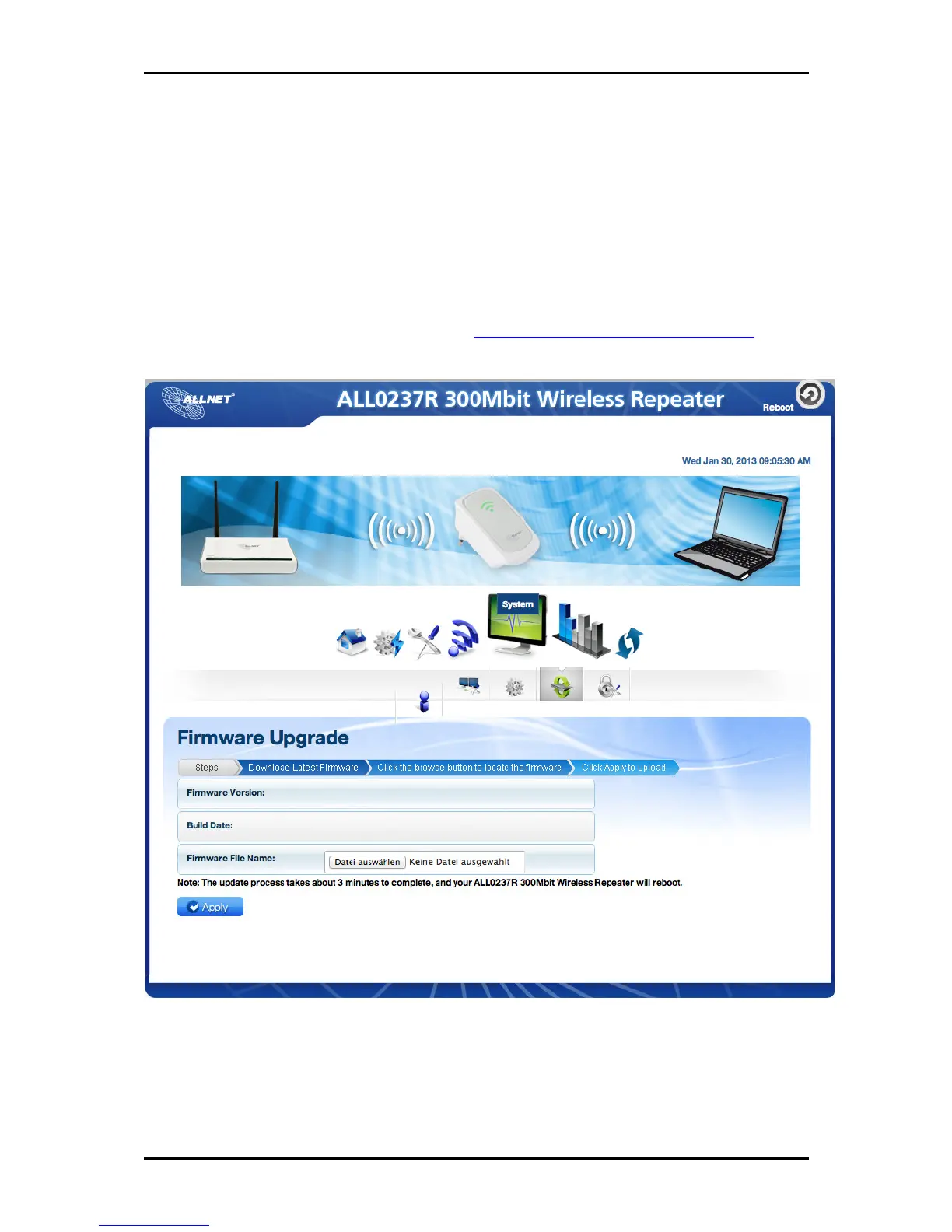
Firmware Upgrade
This option allows you to update the firmware of your device for future changes and
enhancement. Download firmware only at http://www.allnet.de/downloads.html for
future enhancement.
Updating the firmware
a. Connect an Ethernet cable between ALL0237R and computer
b. Open web browser and type http://192.168.1.1 to access the user interface
c. Click on Setup and select firmware under the sub menu


 To Next Page