ALLNET ALL0237R
User Manual
Page 20 of 27
Wireless Repeater
a. Plug your ALL0237R to a power outlet, switch it ON and connect the Ethernet
cable between your ALL and Computer
b. Launch web browser and you will be directed to the User Interface (In case it
does not open type 192.168.1.1 and hit enter)
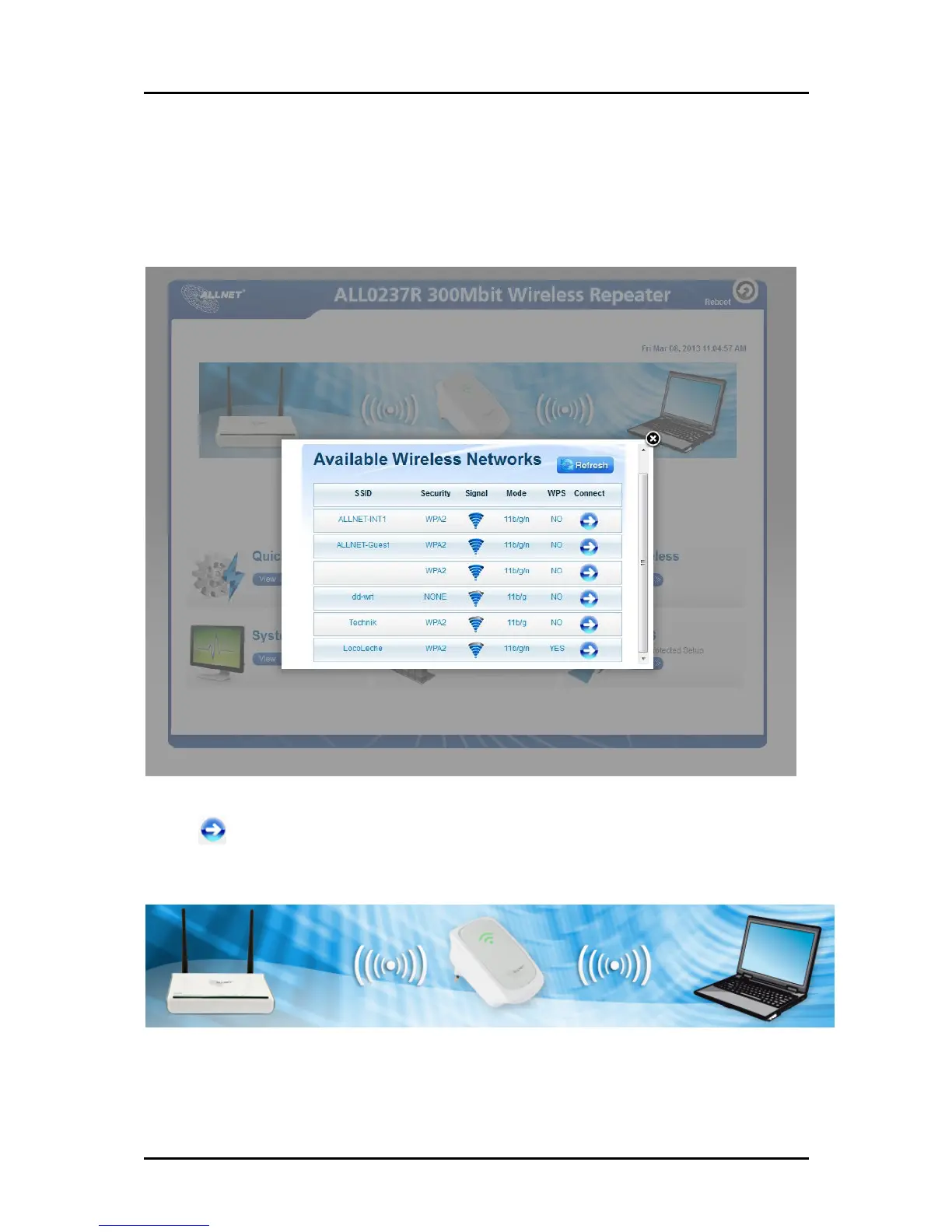
c. Select your SSID (wireless network/wifi name) from the list and click connect
d. Type the password for the wireless network of your router and click apply. The
ALL0237R will reboot and will redirect to the user interface with the following
status.
Disconnect the Ethernet cable from ALL0237R and computer then place the device
at the location, where it can get sufficient reception from your wireless router.


 To Next Page