Allworx Verge IP Phone Series User Guide
866.ALLWORX * +1 585 421 3850 Page 23
www.allworx.com
Version: T Revised: February 14, 2019
To manage an Intercom Call:
3.9 Hold
Temporarily place the active call in a waiting state by pressing the Hold ( ) function button. The
Appearance programmable button LED slowly flashes green to indicate a held call. If the Allworx Server
Administrator enables the Music on Hold feature, callers on hold hear music. EXCEPTION: when dialed
into an Allworx Conference Bridge and placing the call in a hold state, the other callers on the
Conference Bridge do not hear the Music on Hold. The Hold function button also works while using a
connected Bluetooth device. To retrieve the call, press the flashing Appearance programmable button.
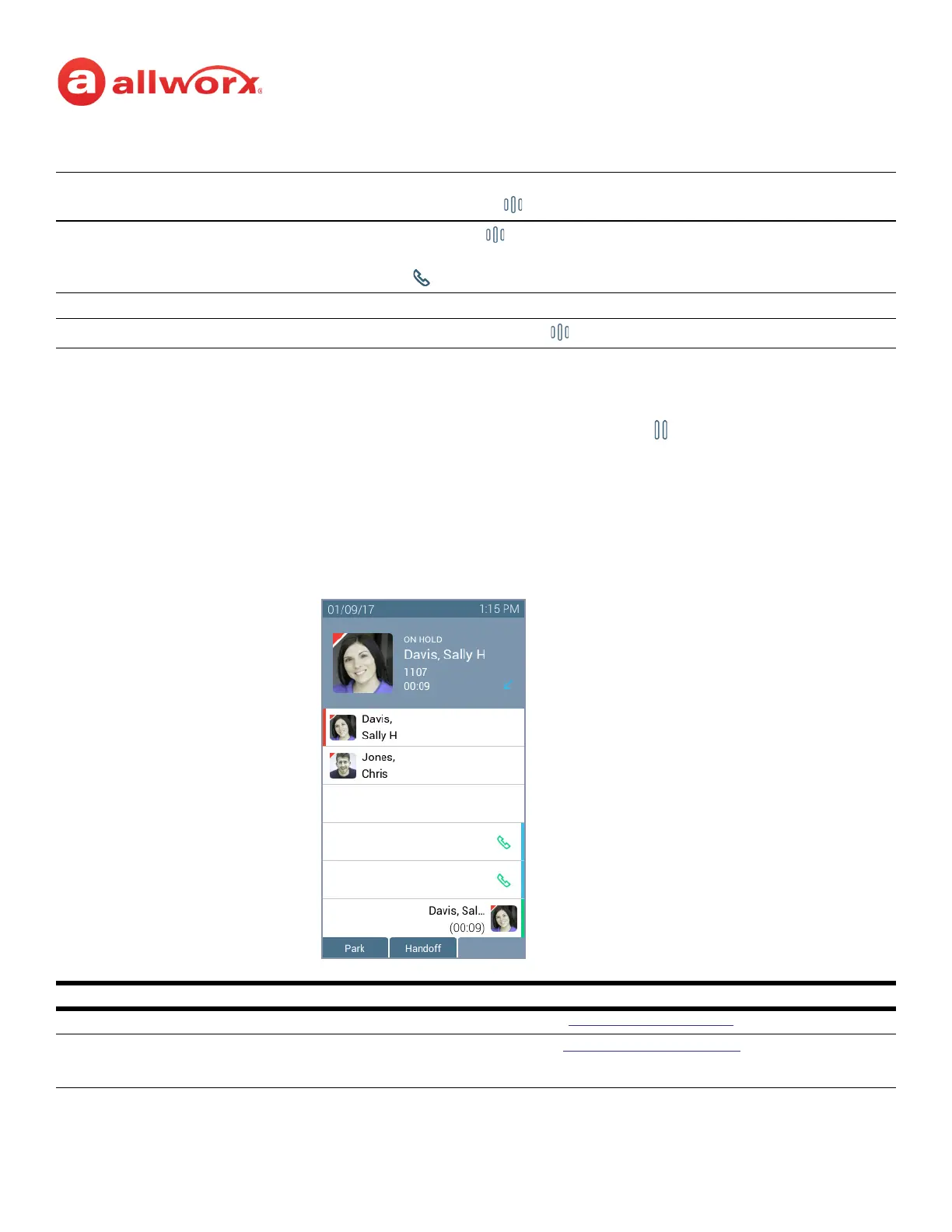
Verge IP Phone screen Hold example:
answer wait for the Verge IP phone to answer the Intercom Call automatically or press
the flashing Intercom ( ) function button.
place
press the Intercom ( ) function button and dial a number or press an Allworx
User Contact or BLF programmable button. If enabling Cell Phone Dialing, press
the send ( ) soft key.
transfer, conference, park, etc. press the function button or soft key and follow the on screen instructions.
end
hang up, press the Intercom ( ) function button.
Soft Keys Available
Park place the call on the next available parking orbit. See
“Park a Call” on page 24 for more information.
Handoff transition the call to a Reach device (if available). See “Call Handoff” on page 41 for more information.
NOTE: The Verge 9304 IP phone does not support the Call Handoff feature.
Soft Keys
Call Appearance - call on hold
• Call status hold duration
• Flashing call status indicator
Call Status Area
• Contact image/Allworx user indicator
• Call Status (ON HOLD)
• Caller or Contact ID name/number
• Call status hold duration
• Call status icon
Call Appearance - idle
Call Appearance - idle



 To Next Page