Allworx Verge IP Phone Series User Guide
866.ALLWORX * +1 585 421 3850 Page 85
www.allworx.com
Version: T Revised: February 14, 2019
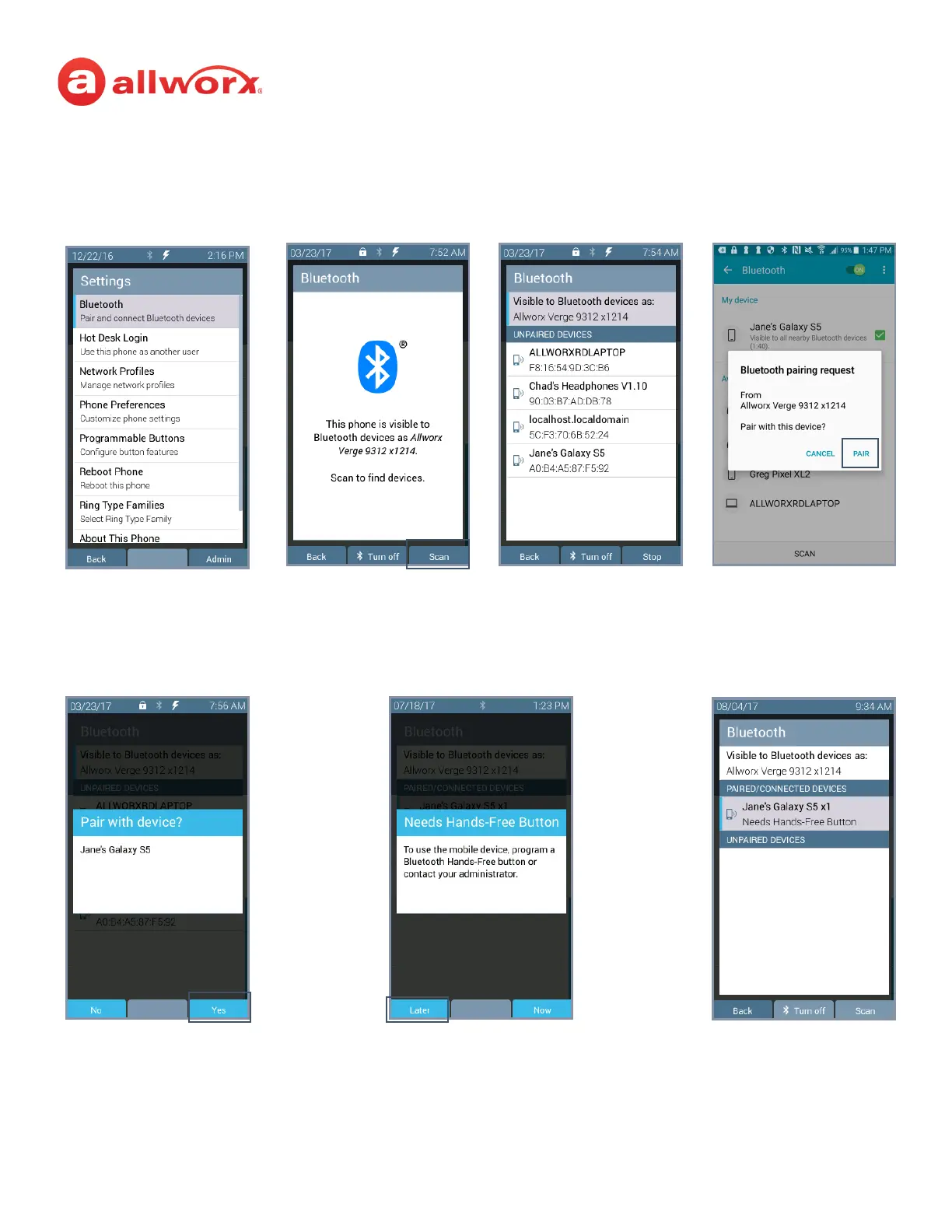
Verge 9312 IP phone Bluetooth mobile device configuration and later assigning a Bluetooth
Hands-Free programmable button example:
Highlight and select the Settings >
Bluetooth option.
Press the Turn on soft key,
and then the Scan soft key.
Highlight and select the
Bluetooth device.
Accept the request on the
Bluetooth mobile device.
Press Yes to pair the devices.
Press Back to return to the
main Settings Screen or
Select button to manage the
Paired Device Details.
Press Later to assign a
programmable button.



 To Next Page