T1 - Omron Control INSTRUCTION MANUAL Page 7
SHAW-ALMEX INDUSTRIES LIMITED 49900-030 October 2000
Revised Mar03, Jun04, Aug04, Jun05
4.4. Connection Assembly
1. Install a suitable electrical connector to the power supply cable. Refer to the electrical specifications
indicated on the serial plate and in the record of purchase.
2. Switch the control panel to the OFF position (0).
3. Connect the platen cables to the platen.
4. Connect the temperature control panel to the power supply. On T1F2 and T1F3 models, the power supply
cable is separate from the panel. Refer to the electrical specifications indicated on the serial plate and in the
record of purchase.
5. The temperature controllers should indicate the actual platen temperature and the set point temperature.
5. OPERATION
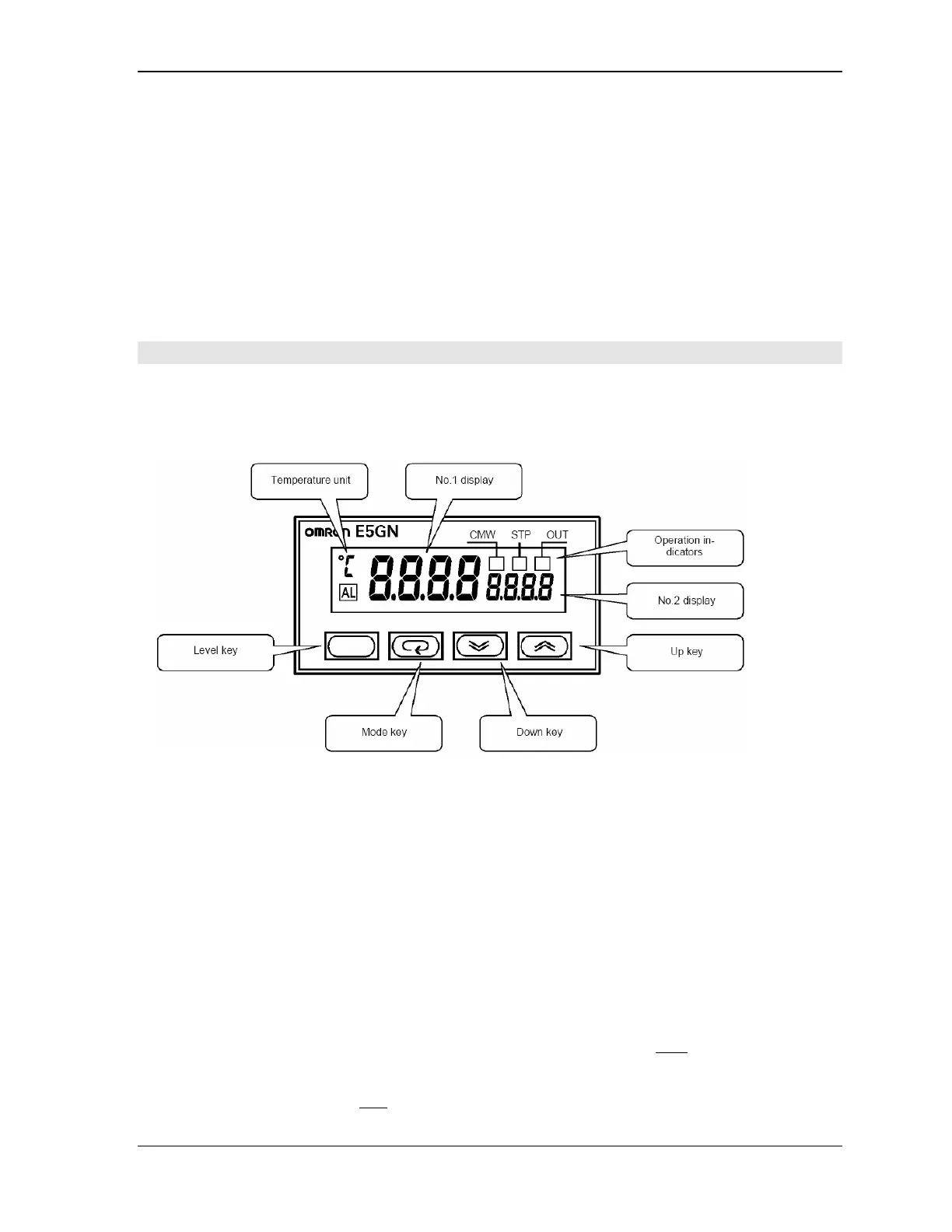
The T1 temperature control panel has a solid state temperature controller. The controller displays the process
value (No. 1 display) which is the actual platen temperature and set value (No. 2 display) which is the desired
temperature.
5.1. Temperature Control Settings
The average user need only adjust the temperature set point. The temperature controller has many other settings
that have been set by the factory and these can be adjusted. The controller settings can be protected to avoid
making adjustments that might adversely affect its operation.
5.1.1. Setting the Platen Temperature
Push the Up key or the Down key until the desired temperature is reached. This can be changed anytime but
should be done before beginning to heat.
5.1.2. Applying and Removing Protection to Settings
All controller settings except the set point adjustment can be protected so the settings can not be adjusted.
Applying protection:
1. Press the Level and Mode keys simultaneously for at least three seconds until oAPt
appears in the display.
2. Press the Up key until No. 2 display shows the number 2.
3. Press the Mode key to display iCPt
.



 To Next Page